Step 4: After a few minutes, restart your TV and open the app. Done
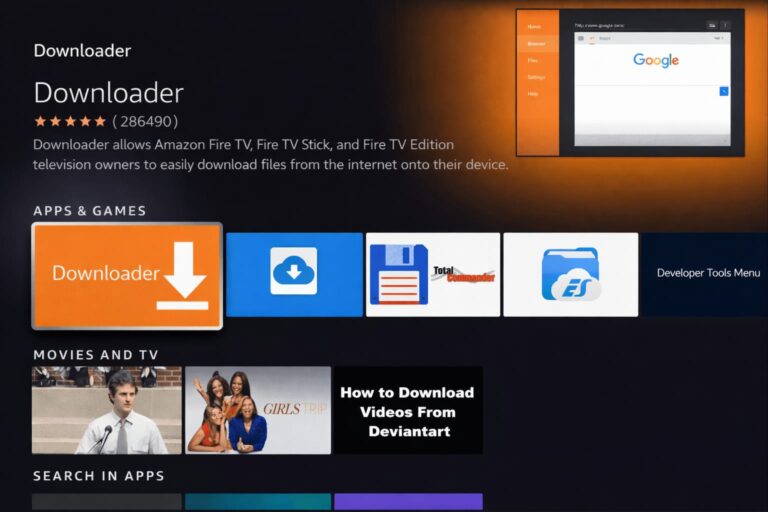
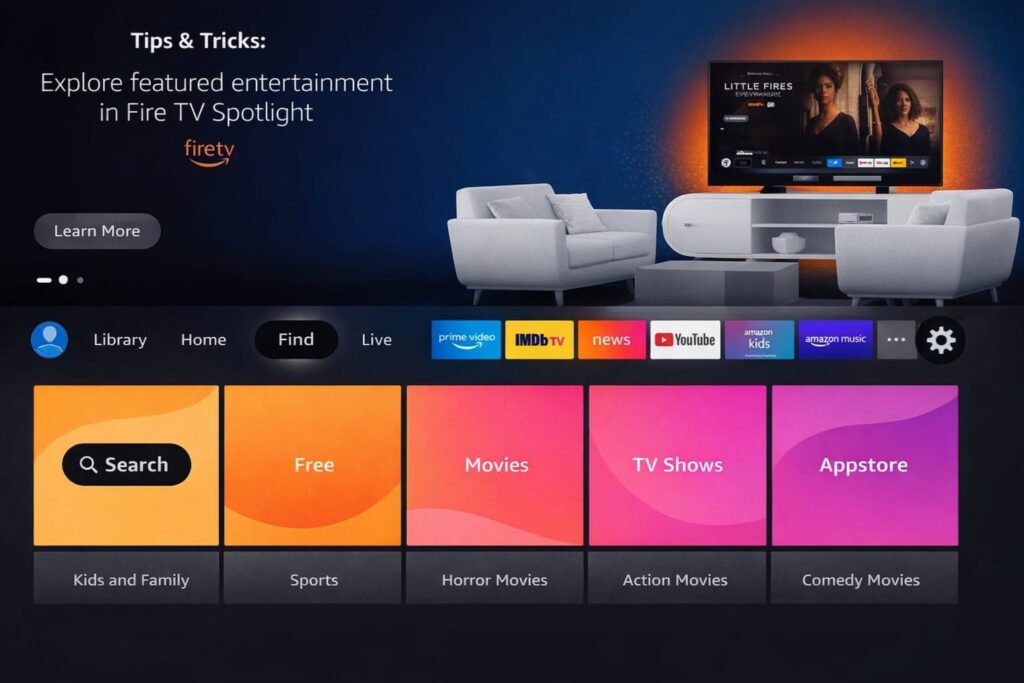
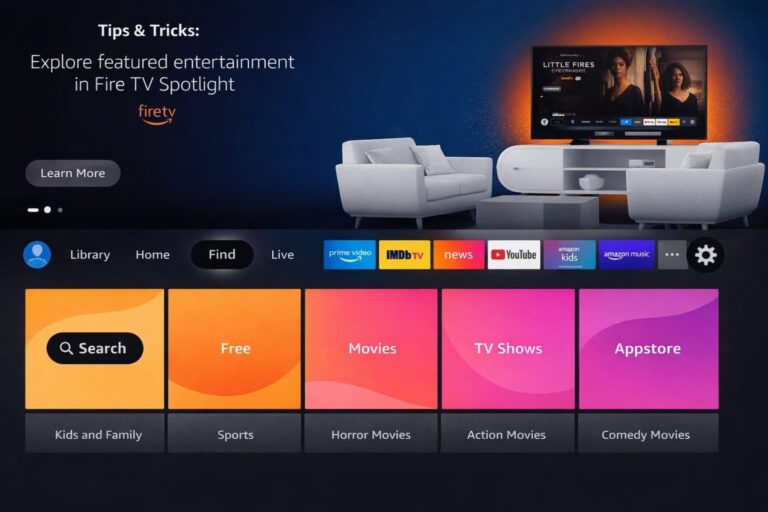
1: On the home screen of your device, hover your mouse over the Search option.
2. Click Search.
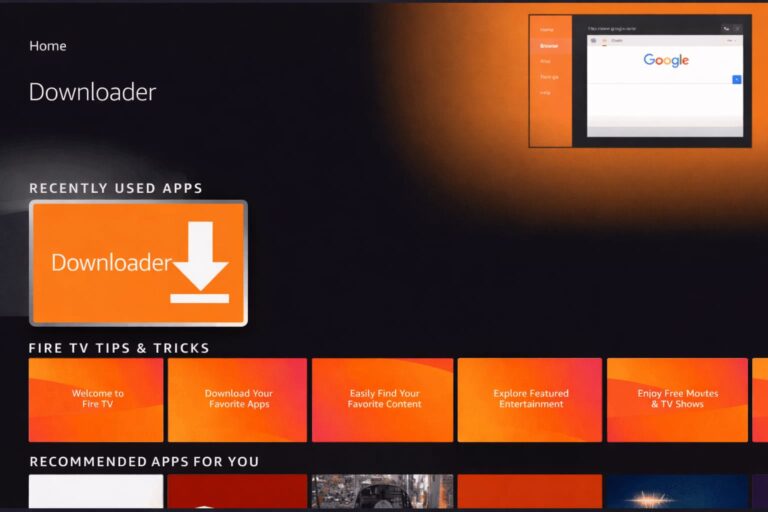
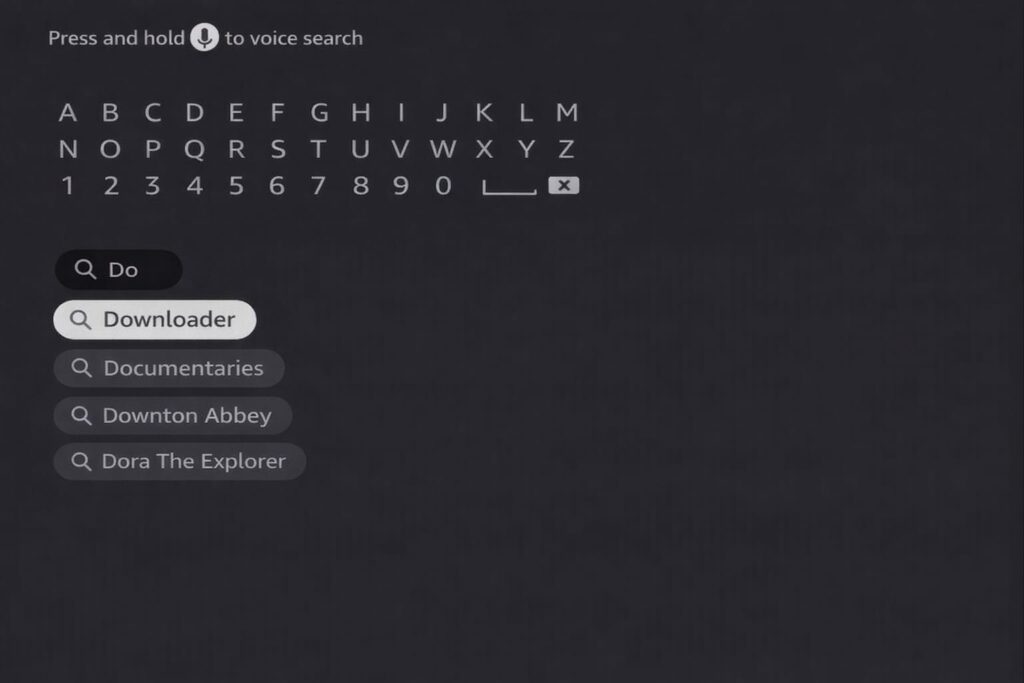
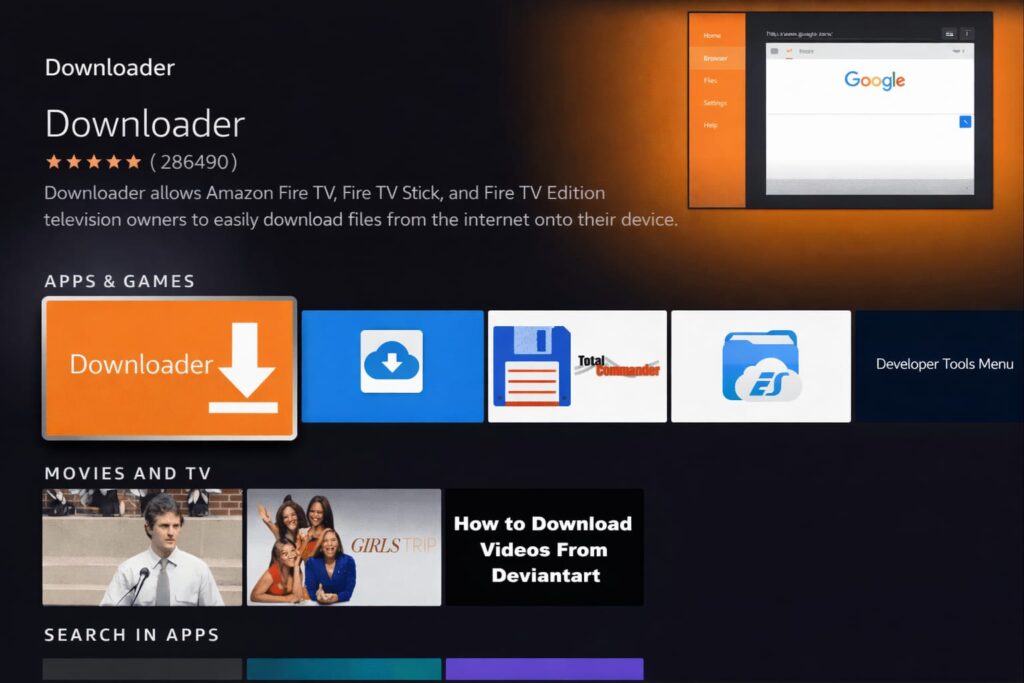
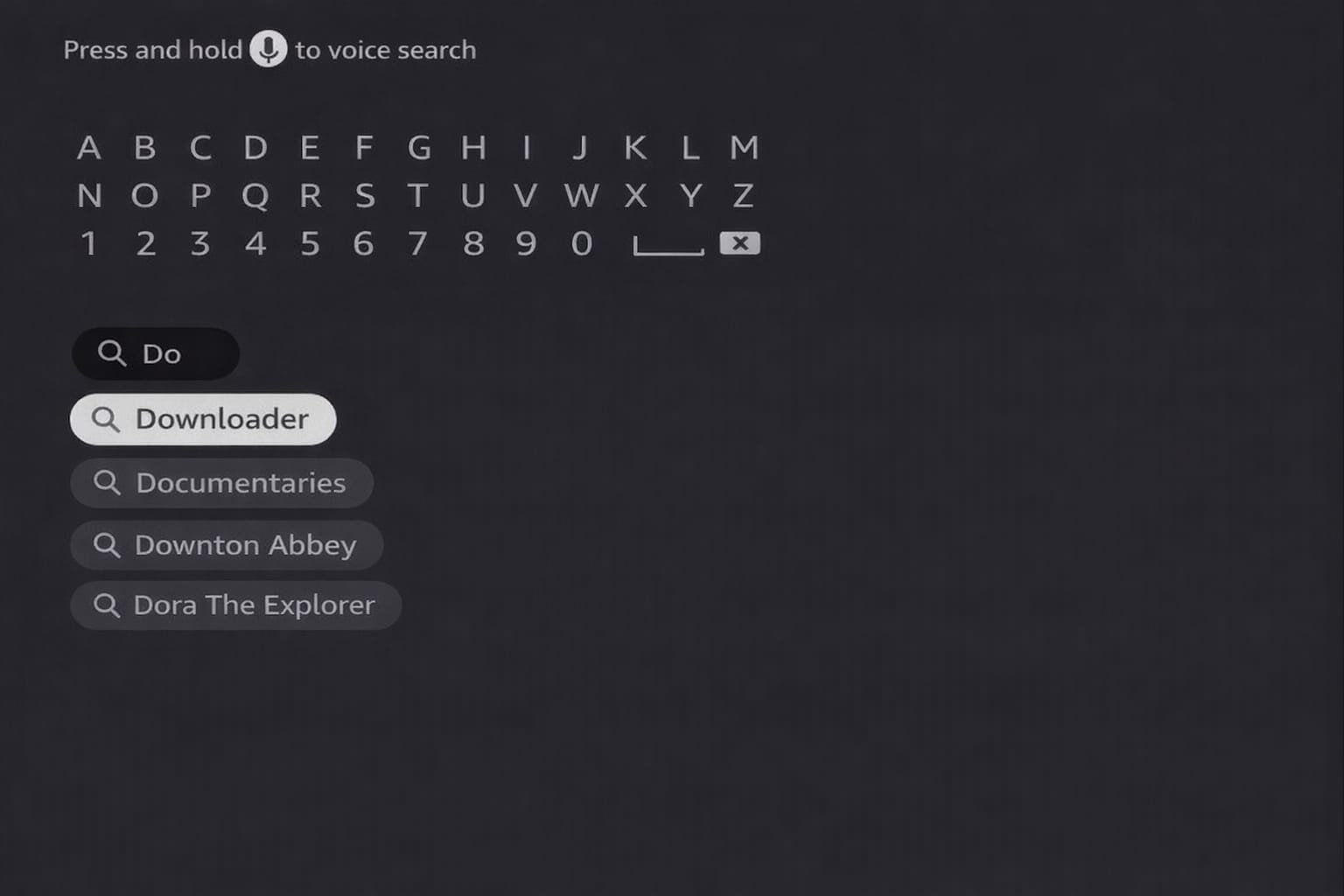
3. Search and select Downloader.
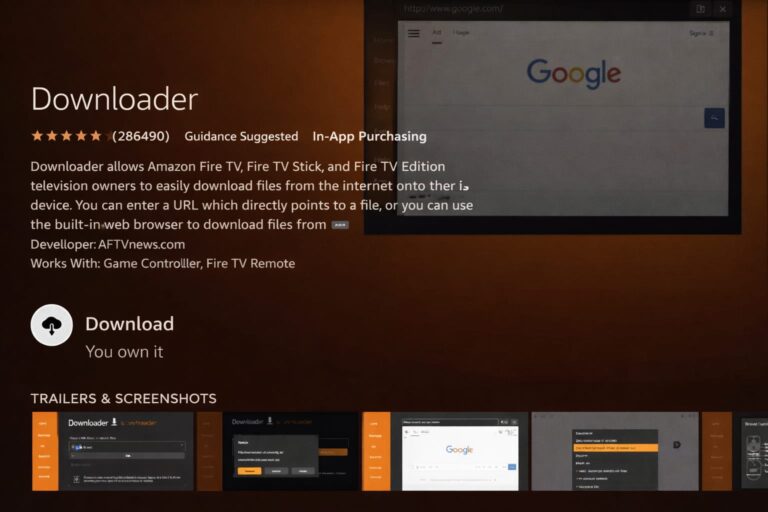
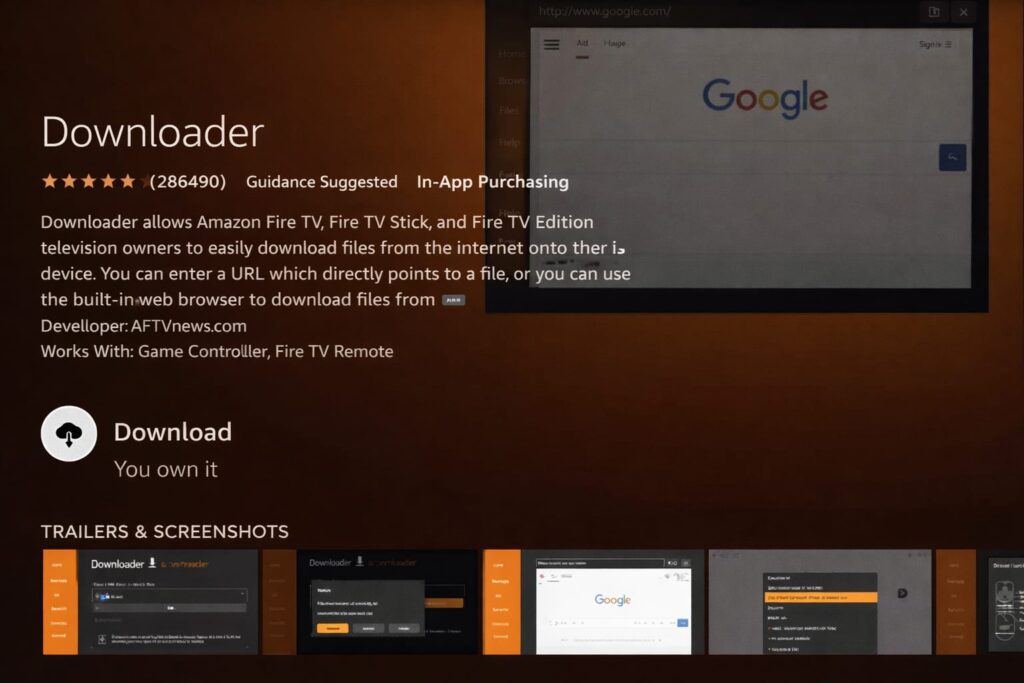
4. Select the Downloader app.
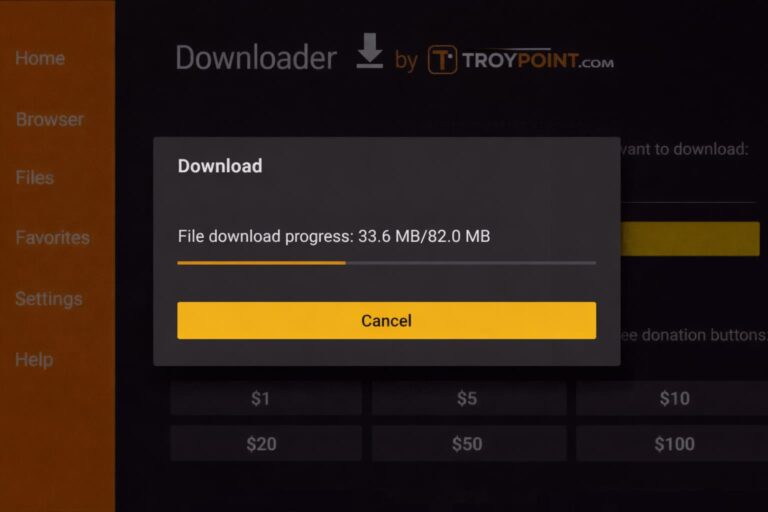
5. Click Download.
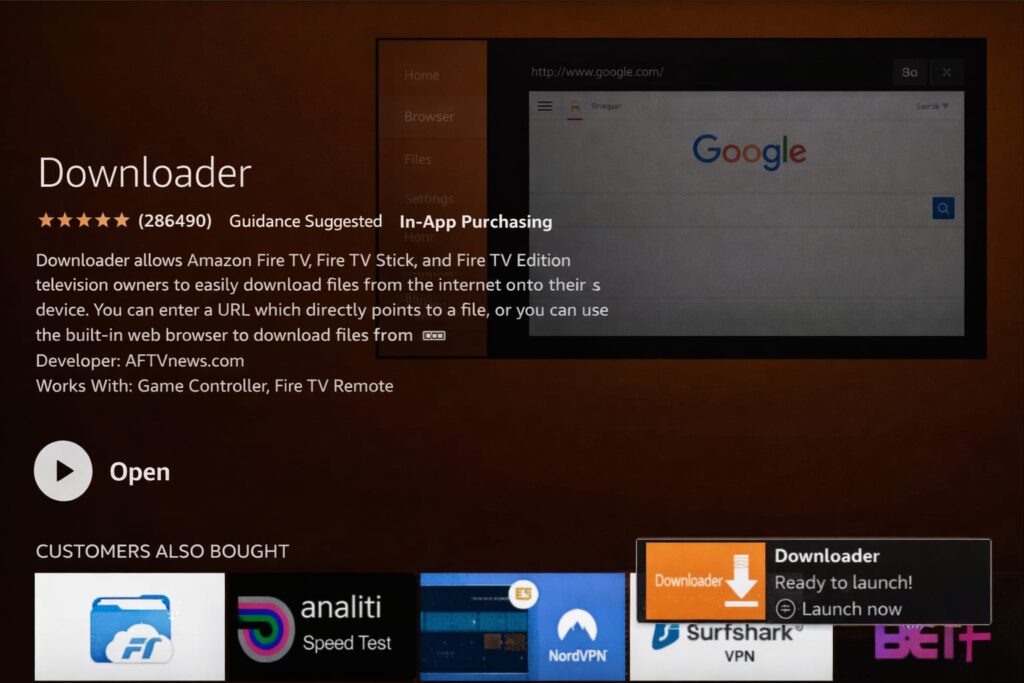
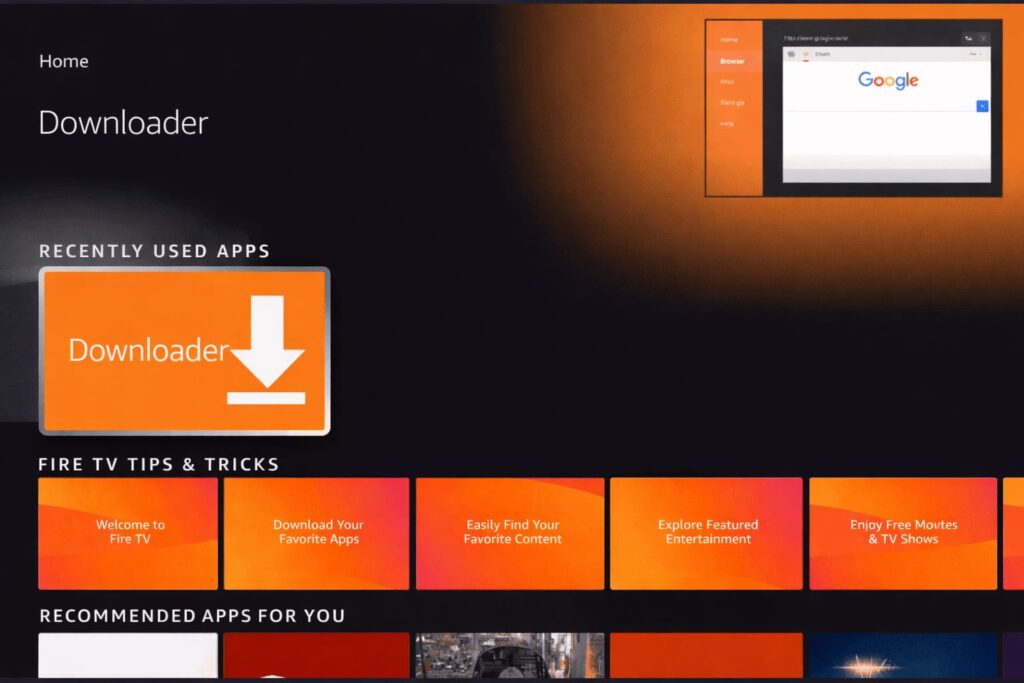
6. Once the app is installed, click Open.
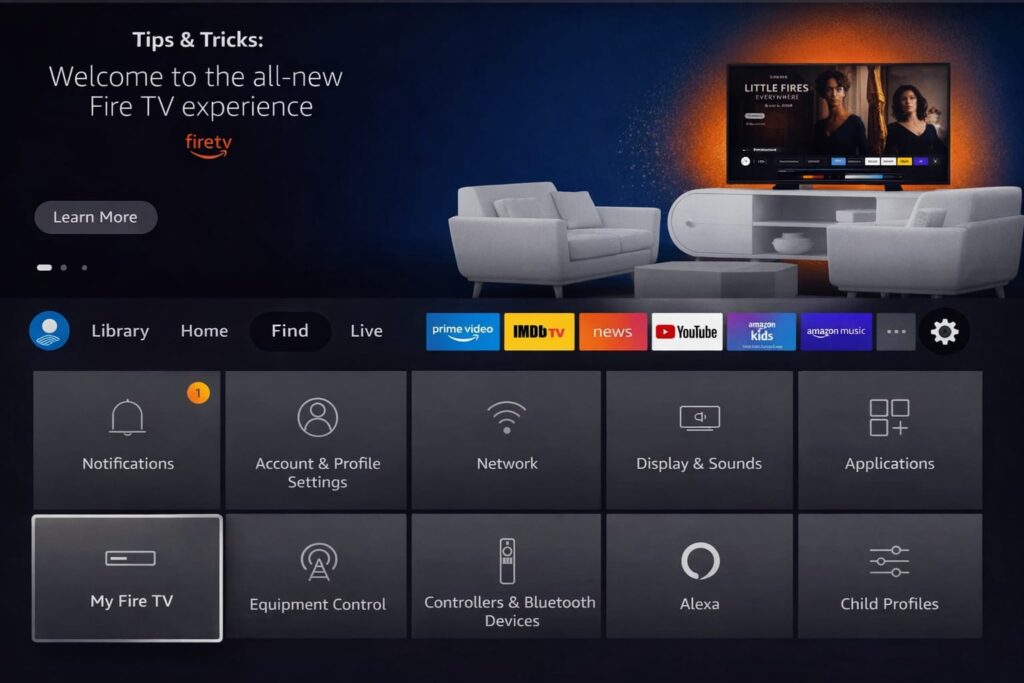
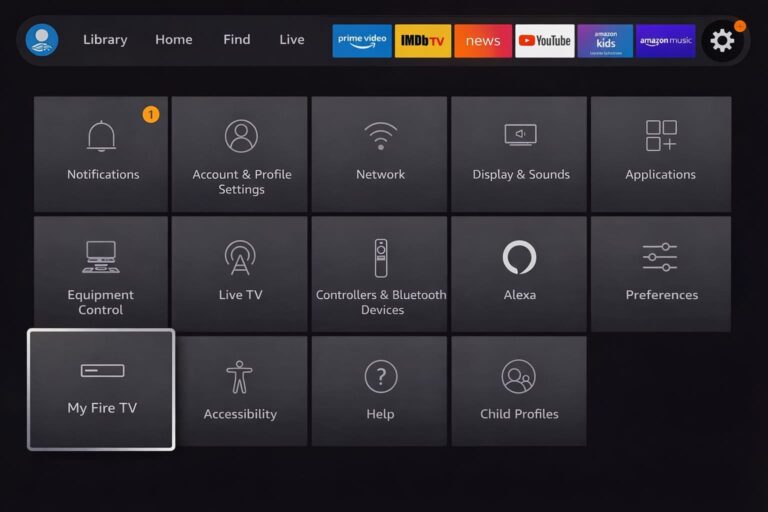
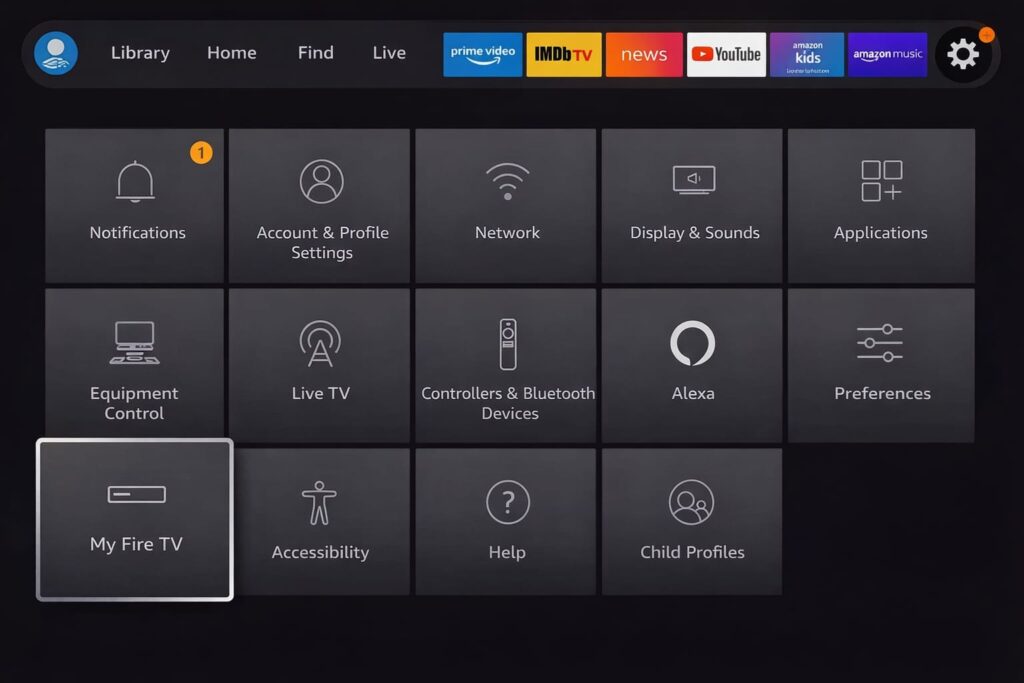
7. Go back to the home screen and open Settings.
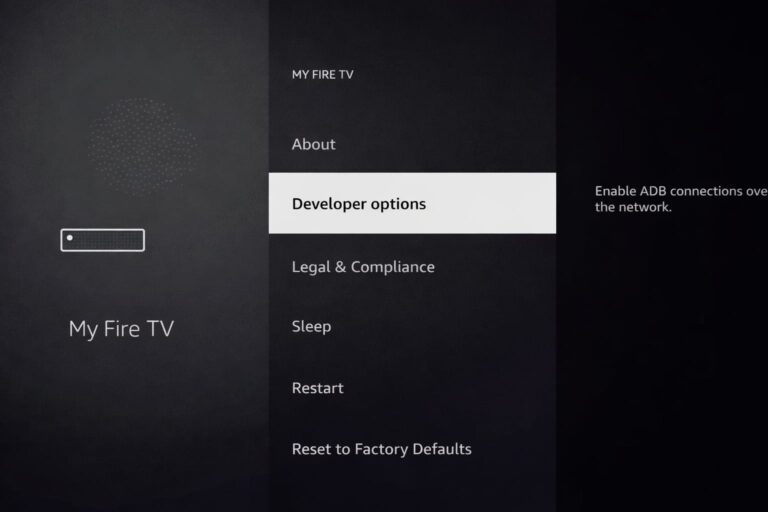
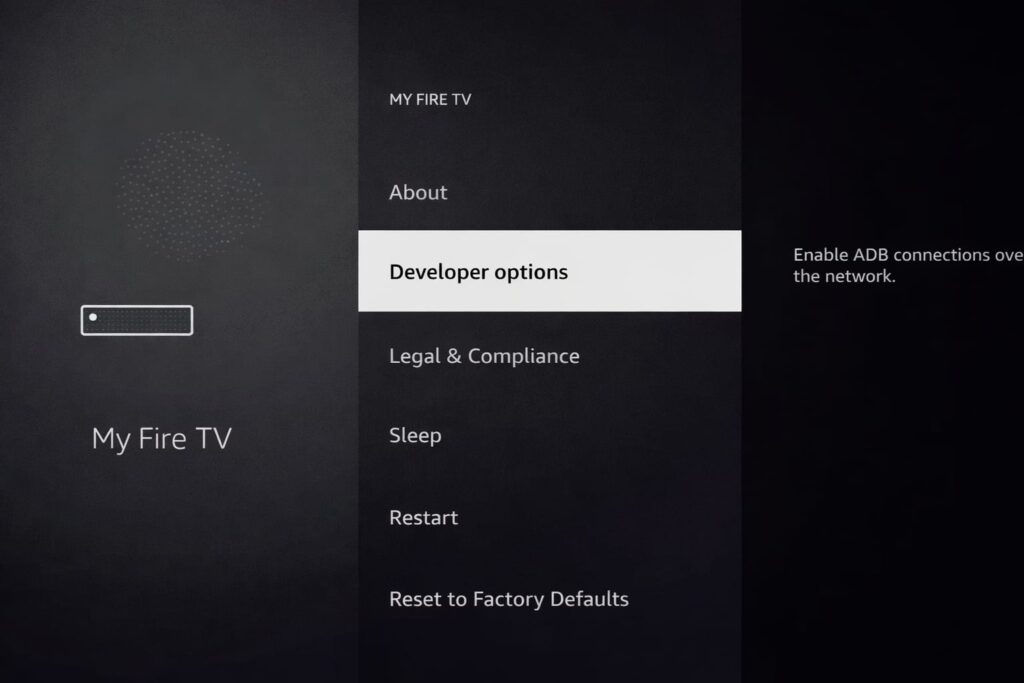
8. Click on My Fire TV and follow this video to enable developer mode: https://www.youtube.com/watch?v=v-tcQLl0pWI
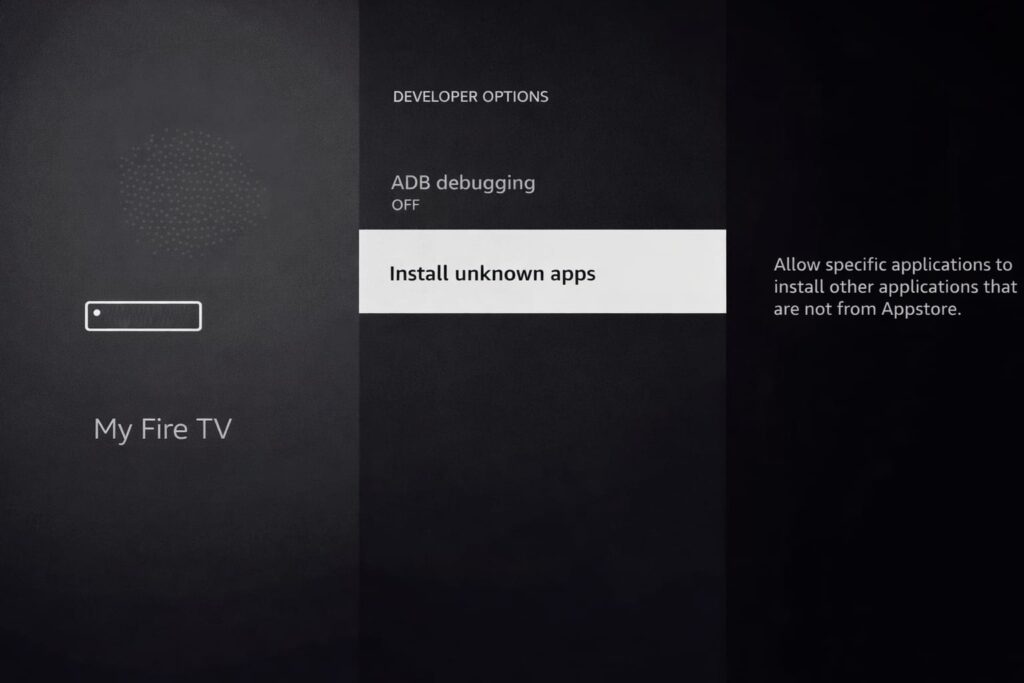
9. Select Developer options.
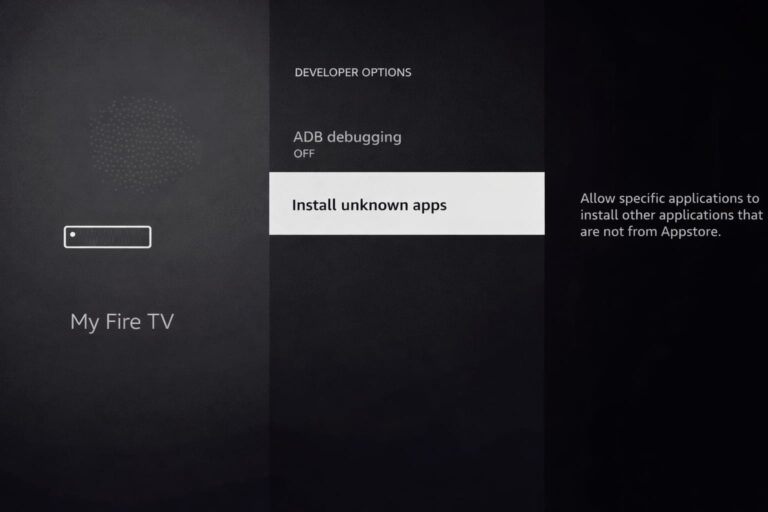
10. Click Install unknown apps.
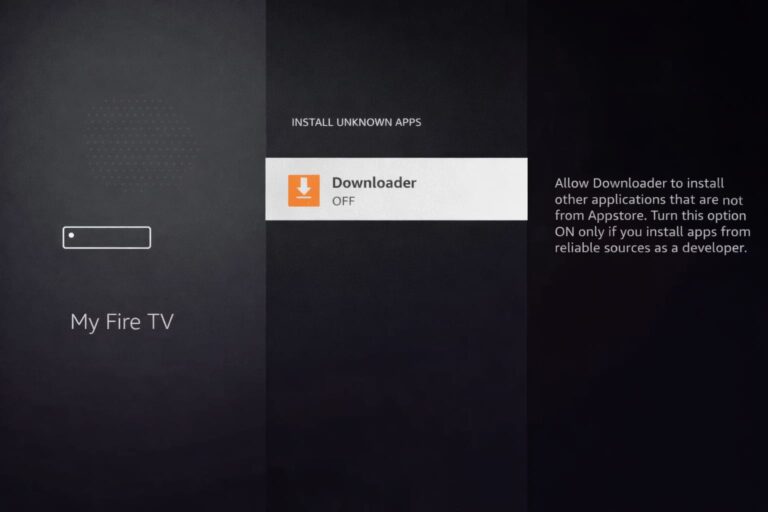
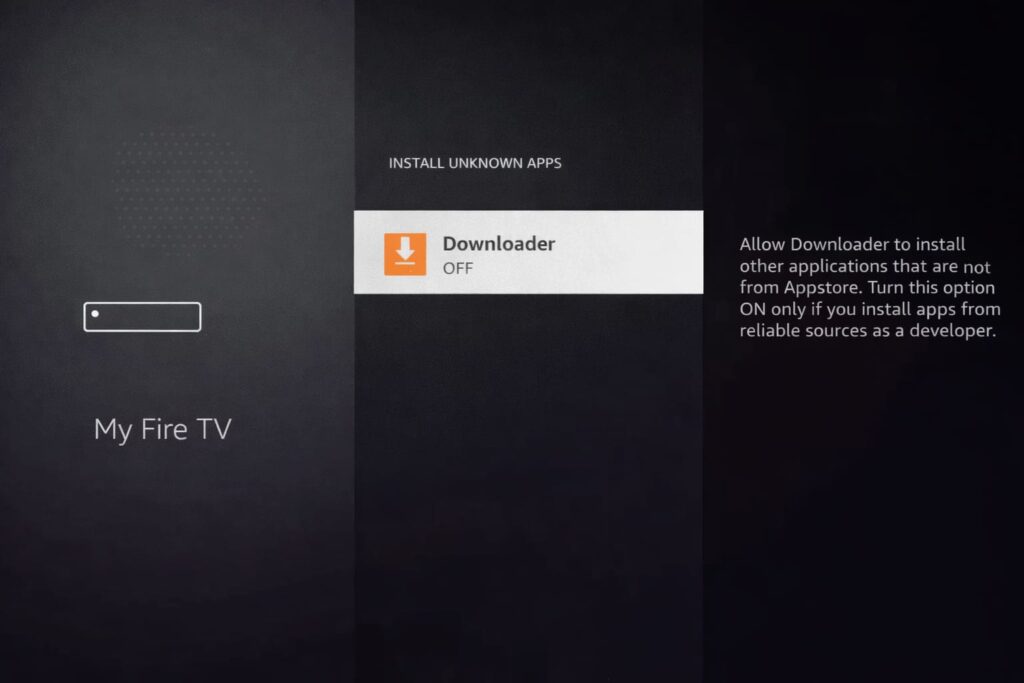
11. Find the Downloader app and click on it.
12. This will turn on unknown sources for the Downloader app. This will enable sideloading on your device.
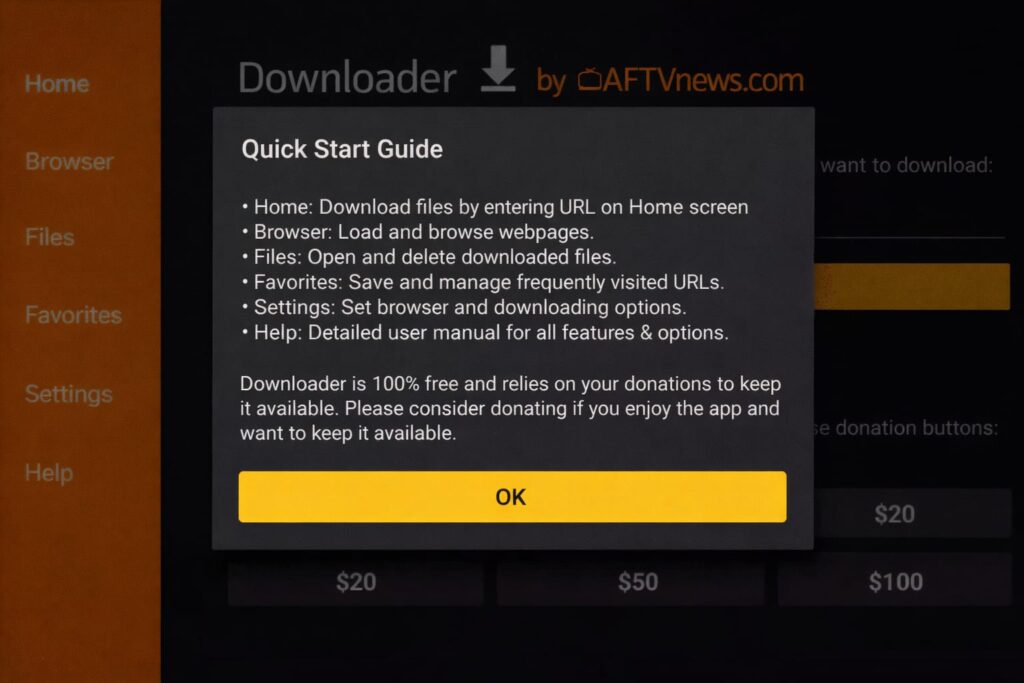
13. Start Downloader.
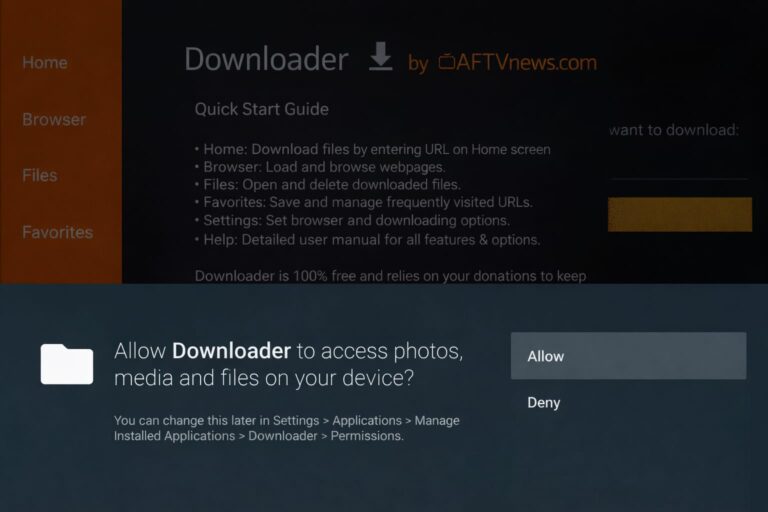
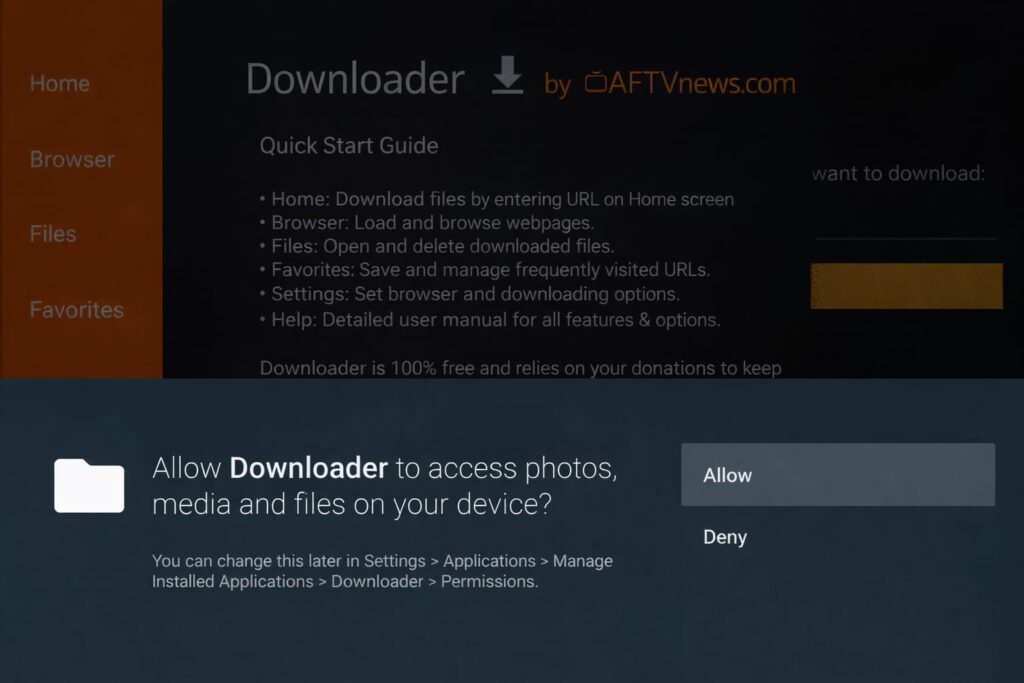
14. Click Allow.
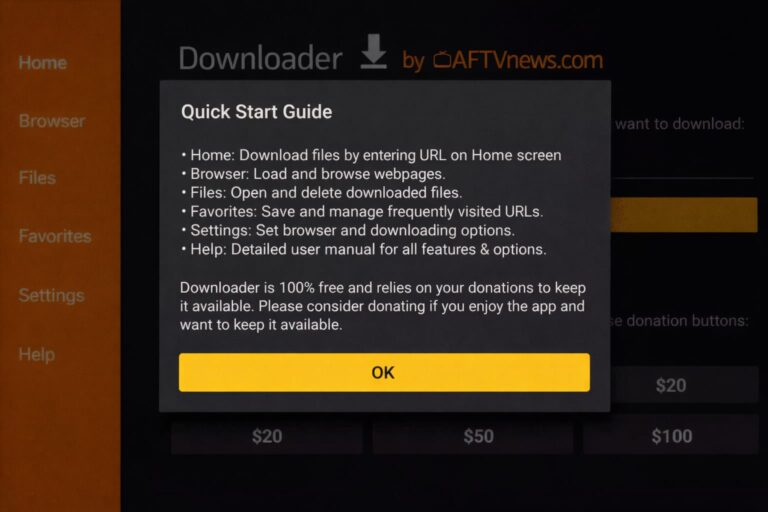
15. Click OK.
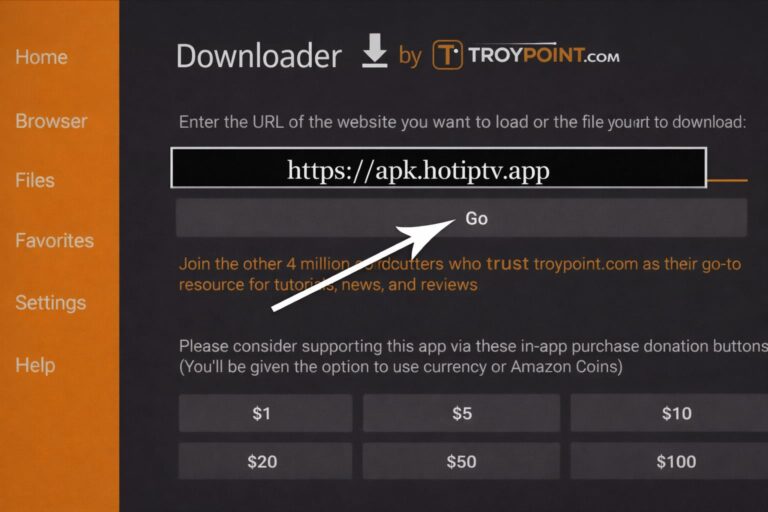
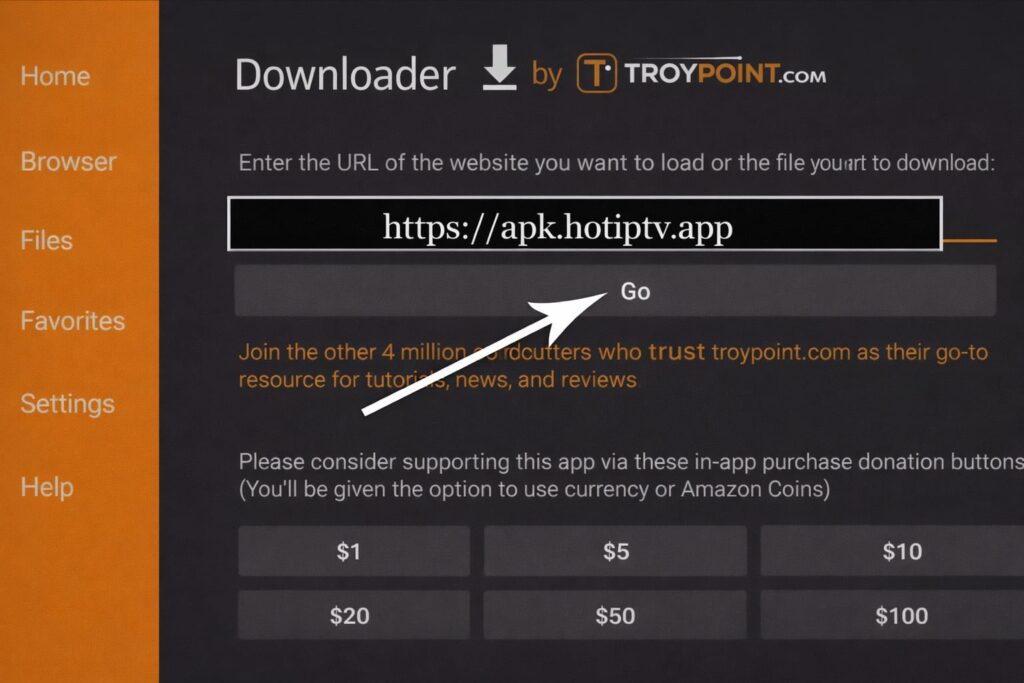
16. Type the following URL exactly as shown here:
8K Player Prime Code downloader:1050263 url-short:bit.ly/3ID17VG http://aftv.news/1050263
8K Player Plus Code downloader:1240465 url-short:bit.ly/4muCvw4 http://aftv.news/1240465
8K Player Vip+ Code downloader:6883465 url-short:bit.ly/4myPgGi http://aftv.news/6883465
TVMate 8K code downloader:6762447 http://aftv.news/6762447
for Hot player (5 euros extra)
url: https://apk.hotplayer.app/
or use code: 395800
and click Go.
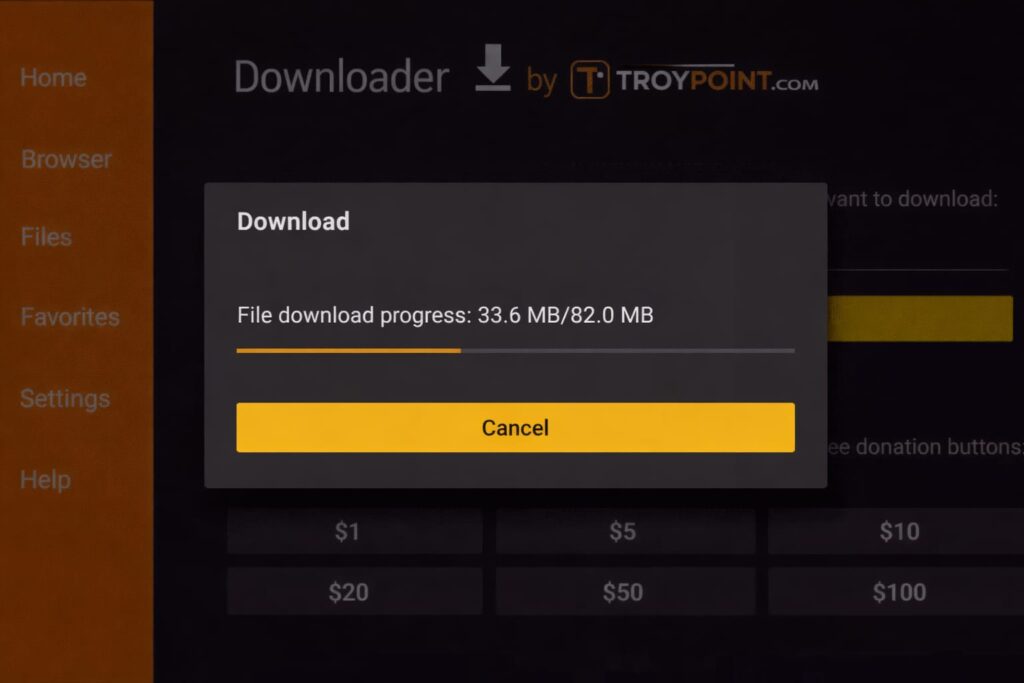
17. Wait for the file to download.
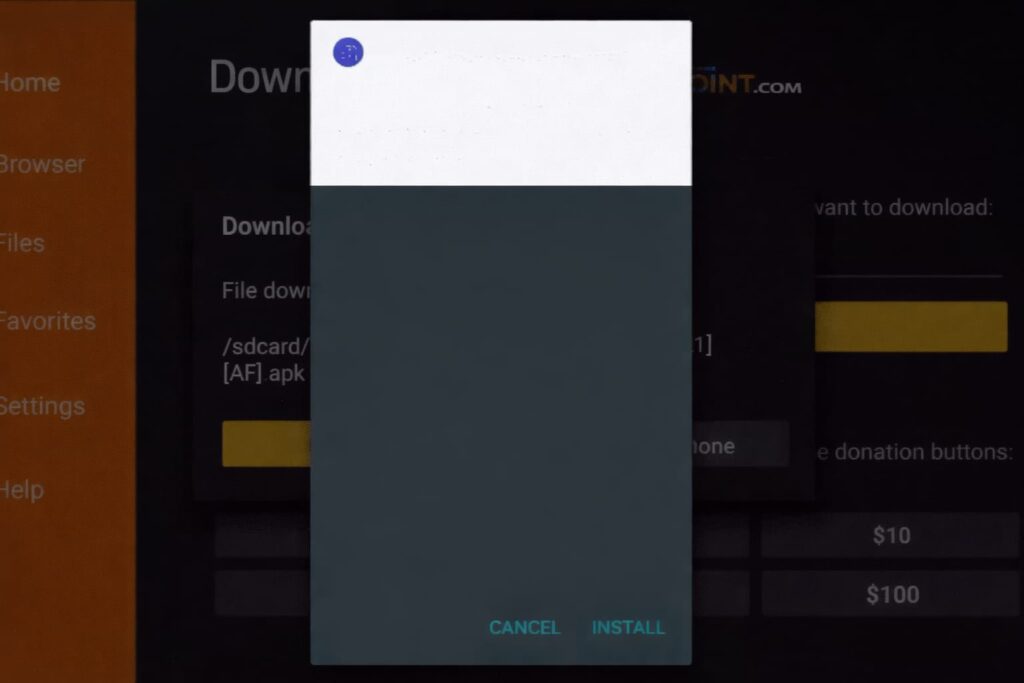
18. Click Install.
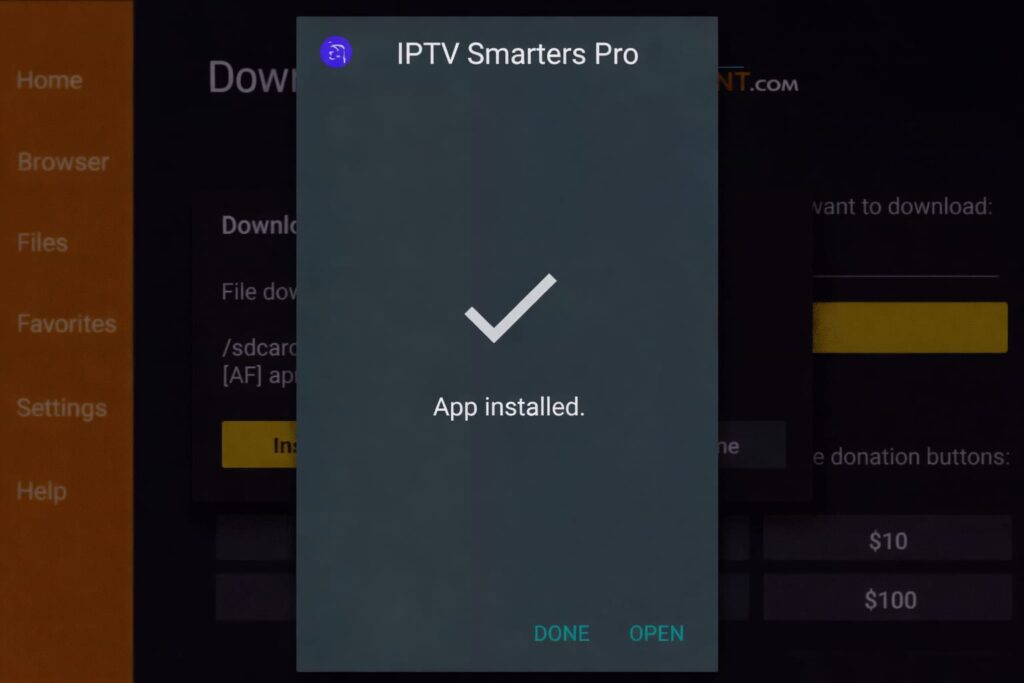
19. Click Done.
20. Open the app and then send us your MAC address via WhatsApp or email.
Step 1: You can download 4K PLAYER / HotIPTV / SetIPTV / vu player pro/ Ibo player from your TV store on Samsung, LG.
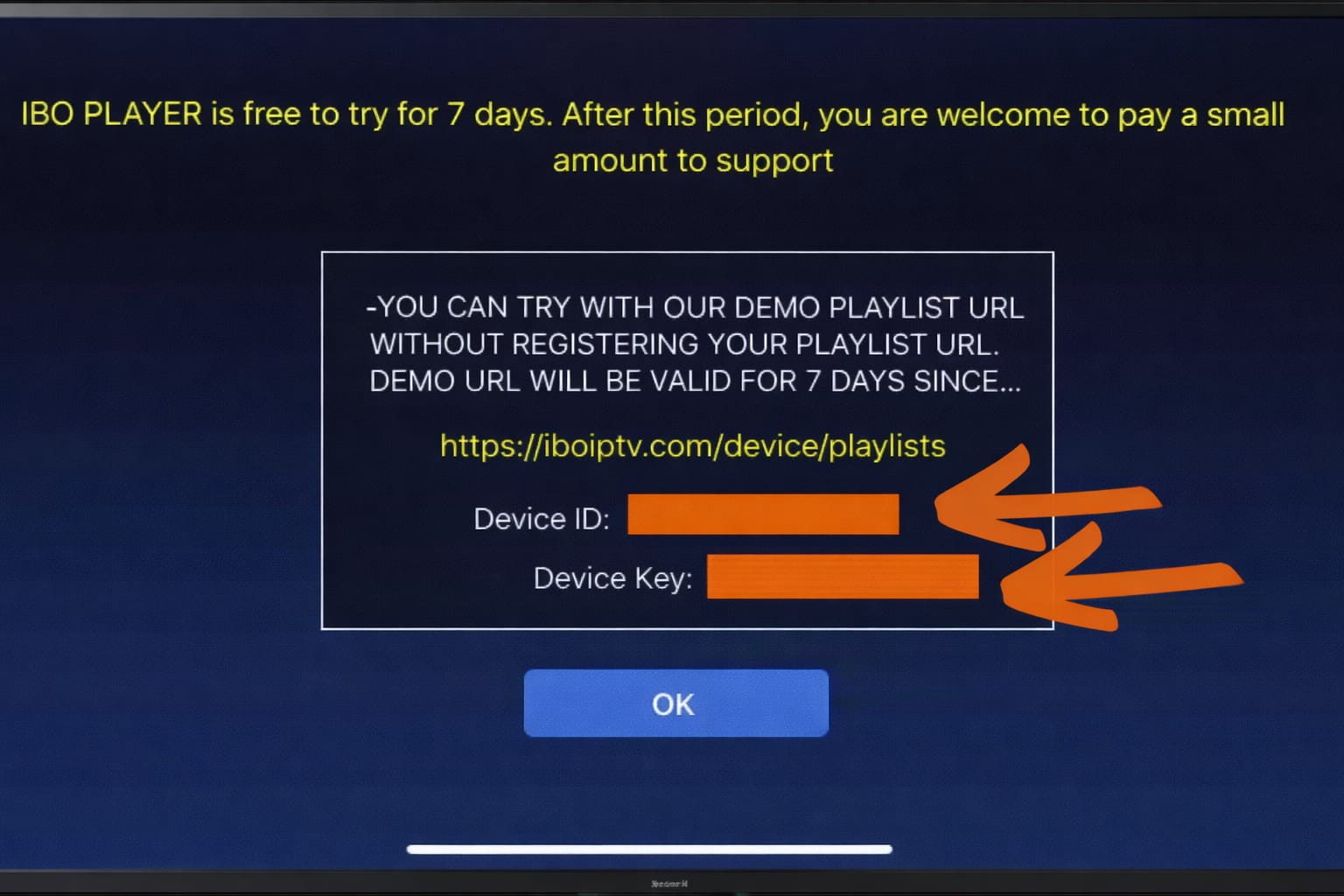
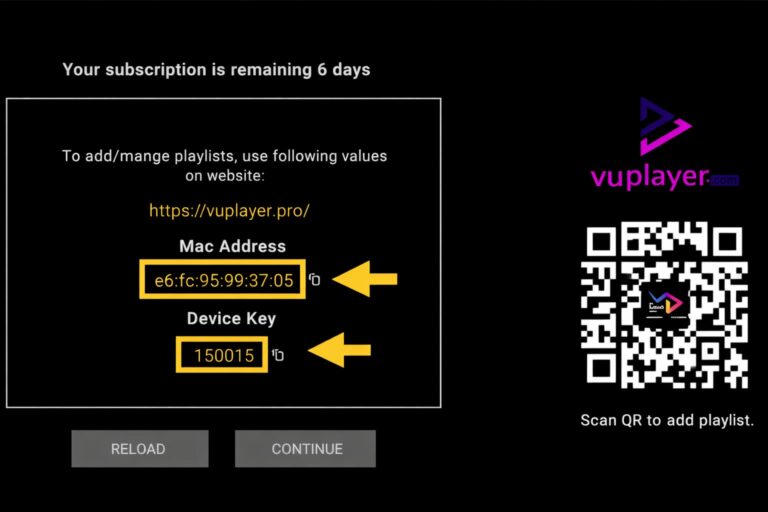
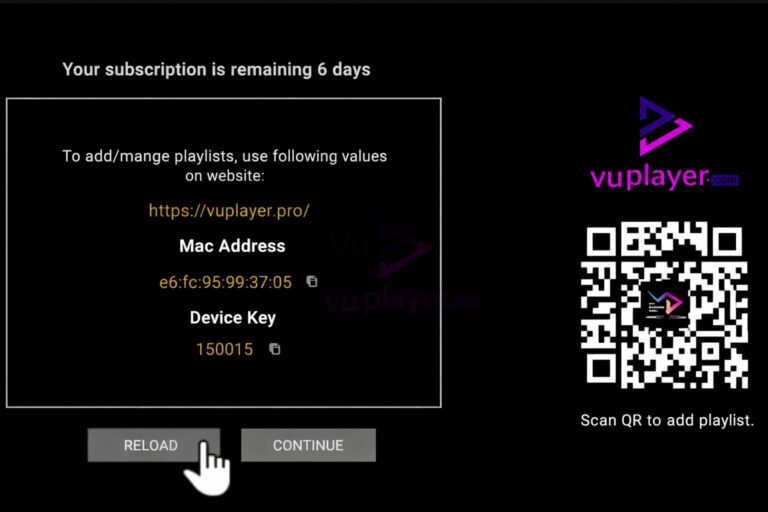
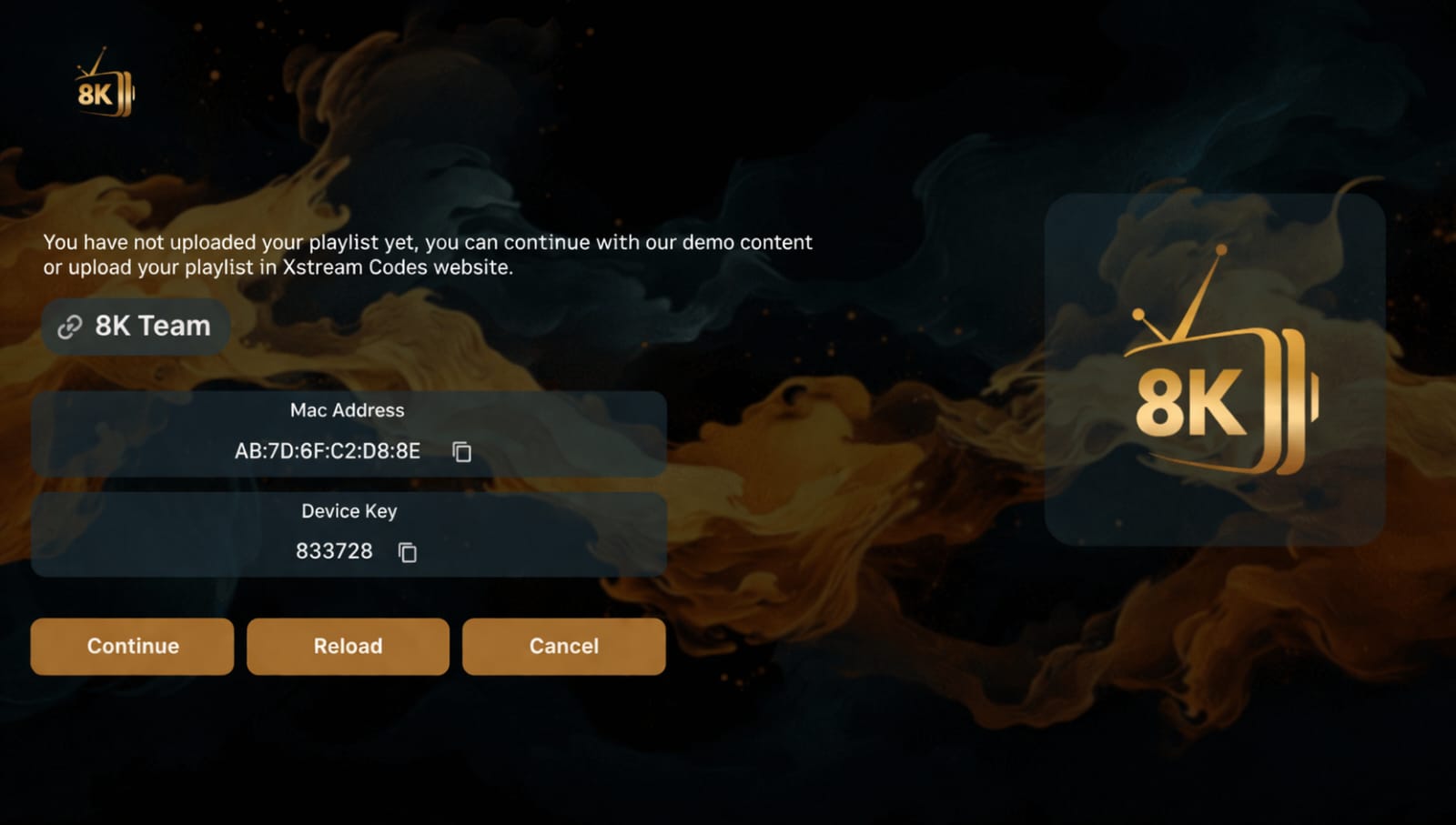
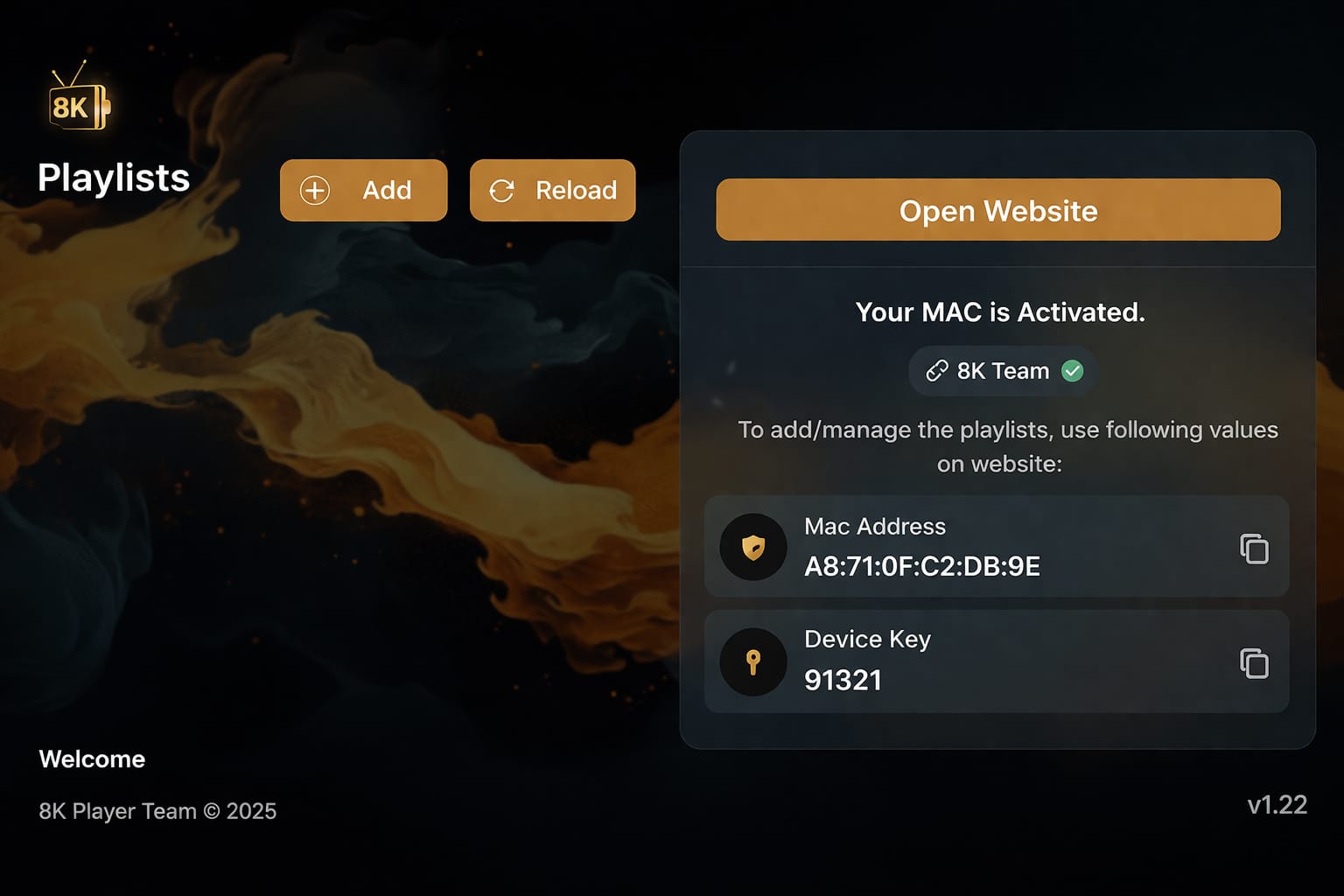
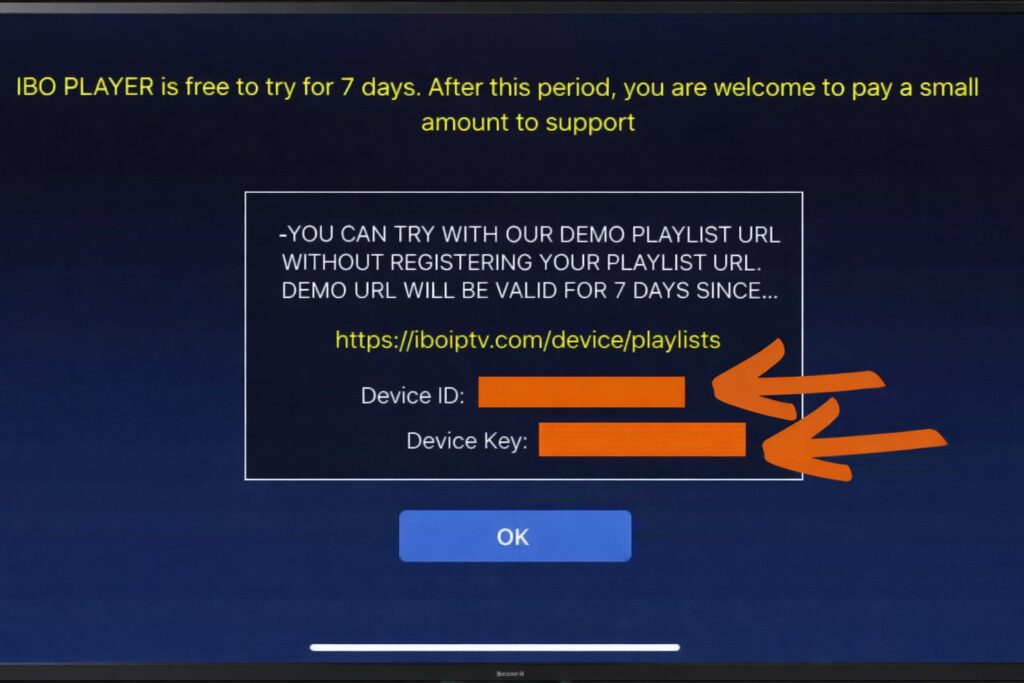
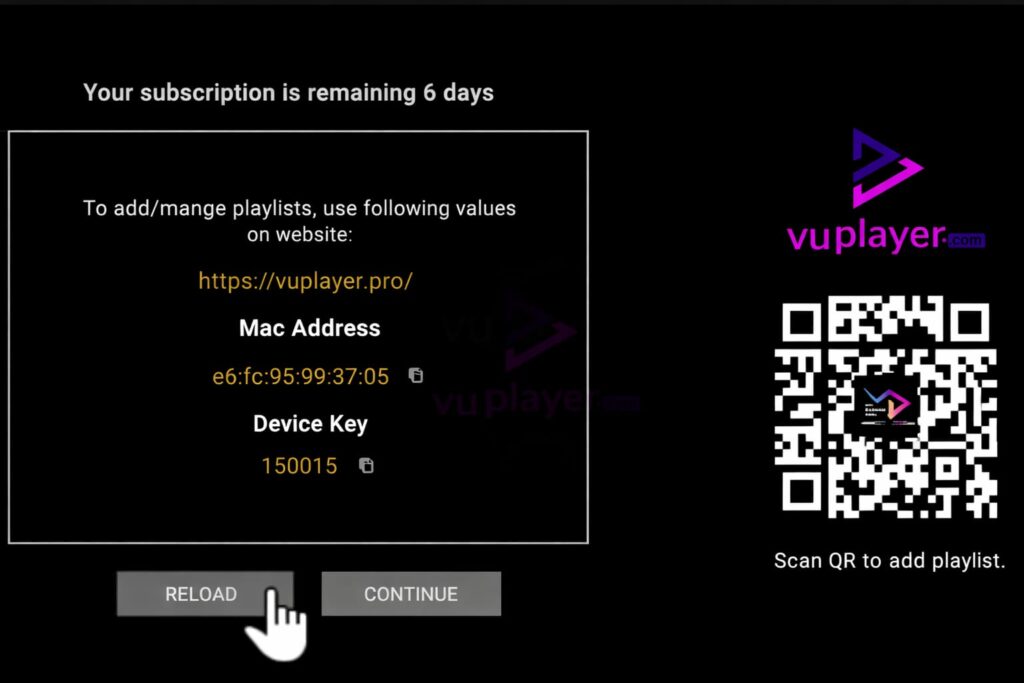
Step 2: After installation, open the app and you will find the MAC address and device key on the screen, example ibo player: 👇
Step 3: Send the MAC address and device key to us via WhatsApp/live chat.
Step 4: After a few minutes, restart your TV and open the app. Done
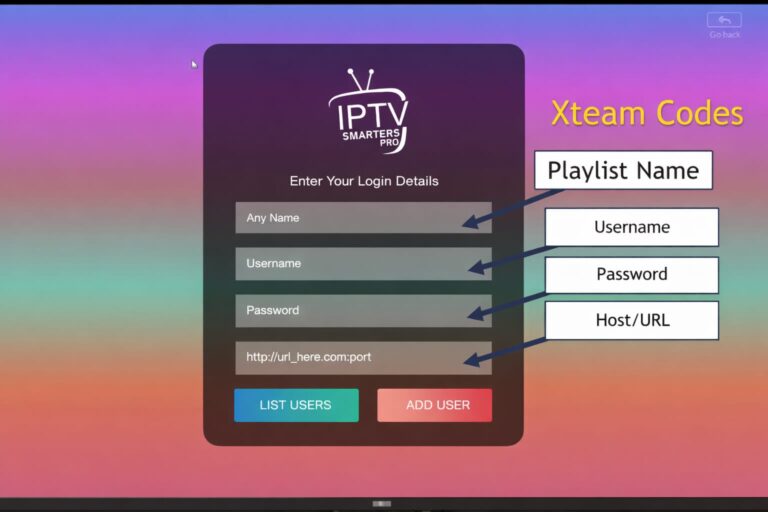
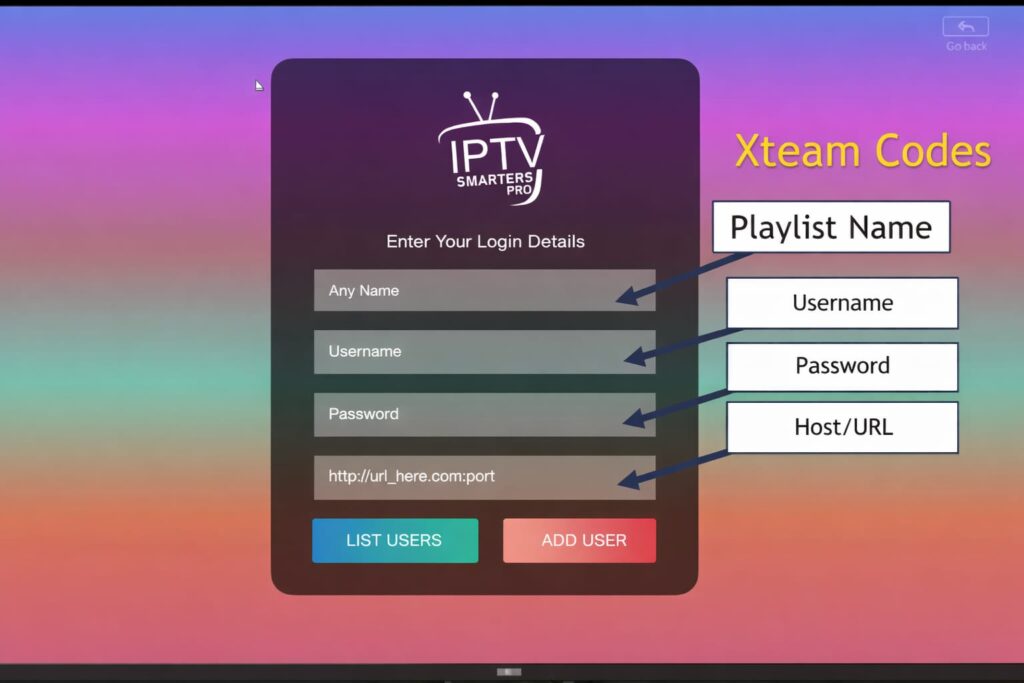
Download the app: https://www.iptvsmarters.com/download/?download=windows_app
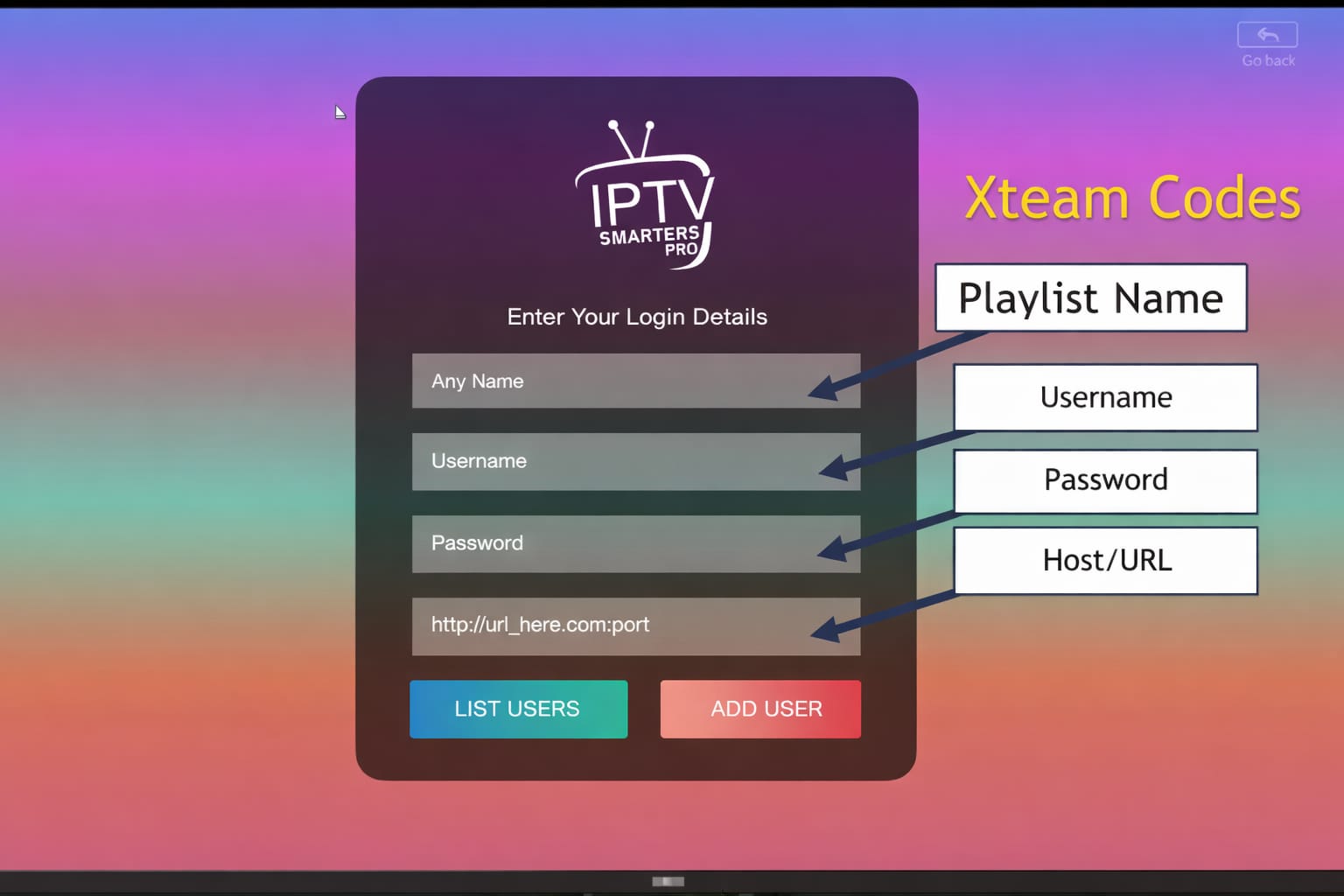
After installation, enter Xtream codes provided by 4KStreamGO:
or Alternative Download VU PLAYER PRO app via this URL: https://vuplayer.pro
Step 1: Start by downloading Vu Player Pro via this URL: https://vuplayer.pro
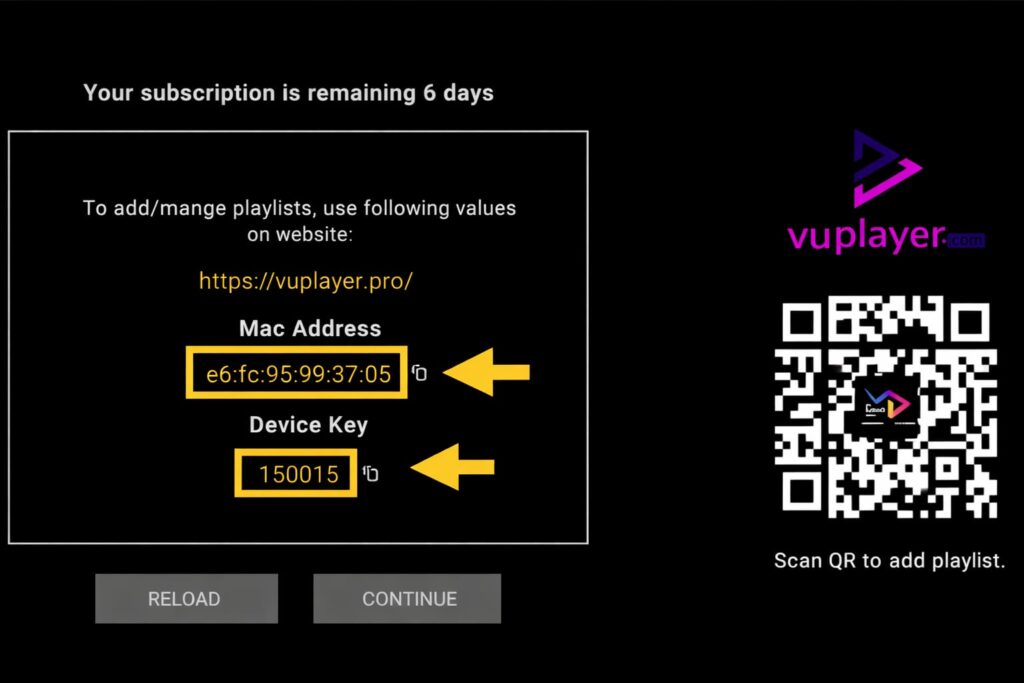
Step 2: Once downloaded, open the app and copy the MAC address and device key:
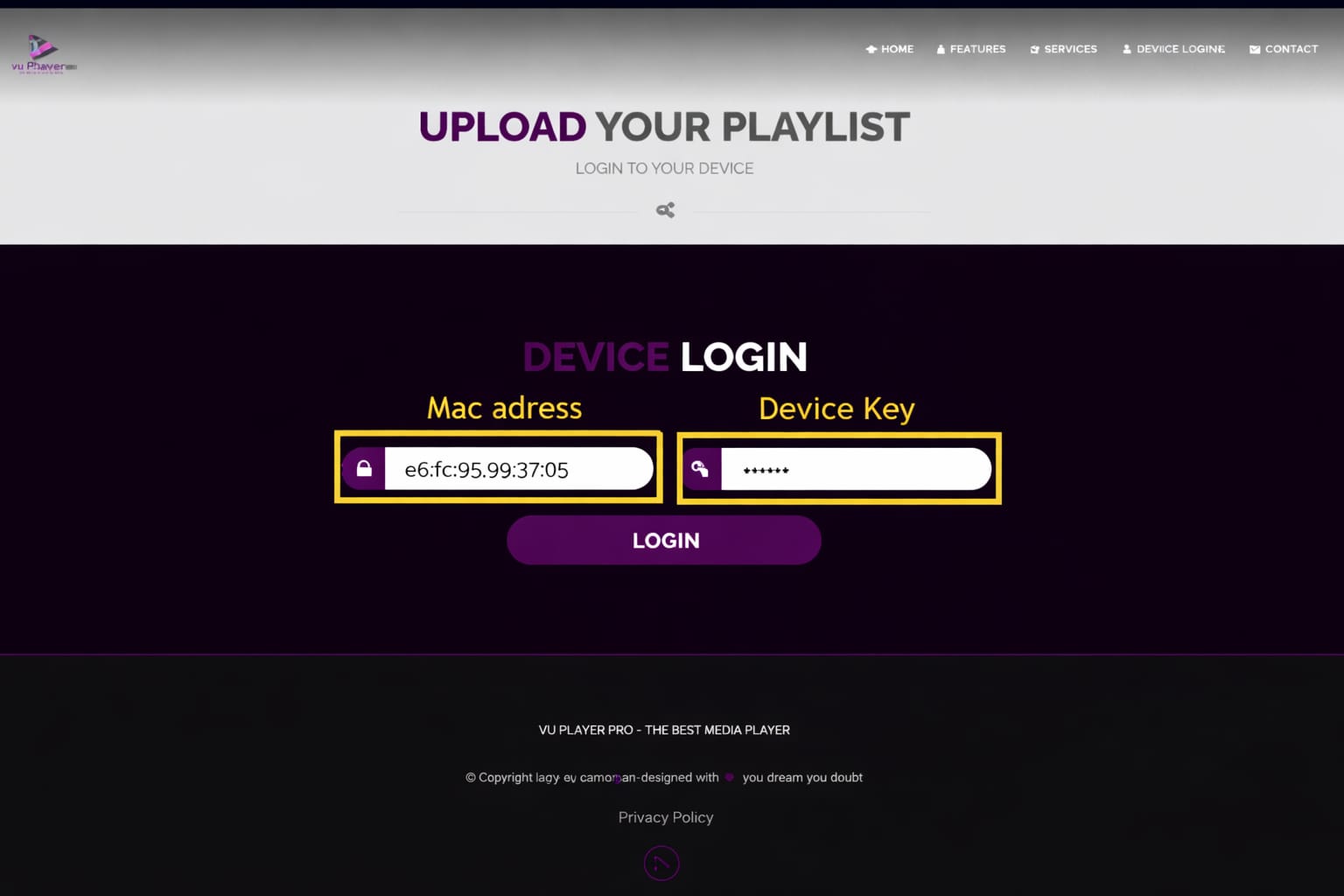
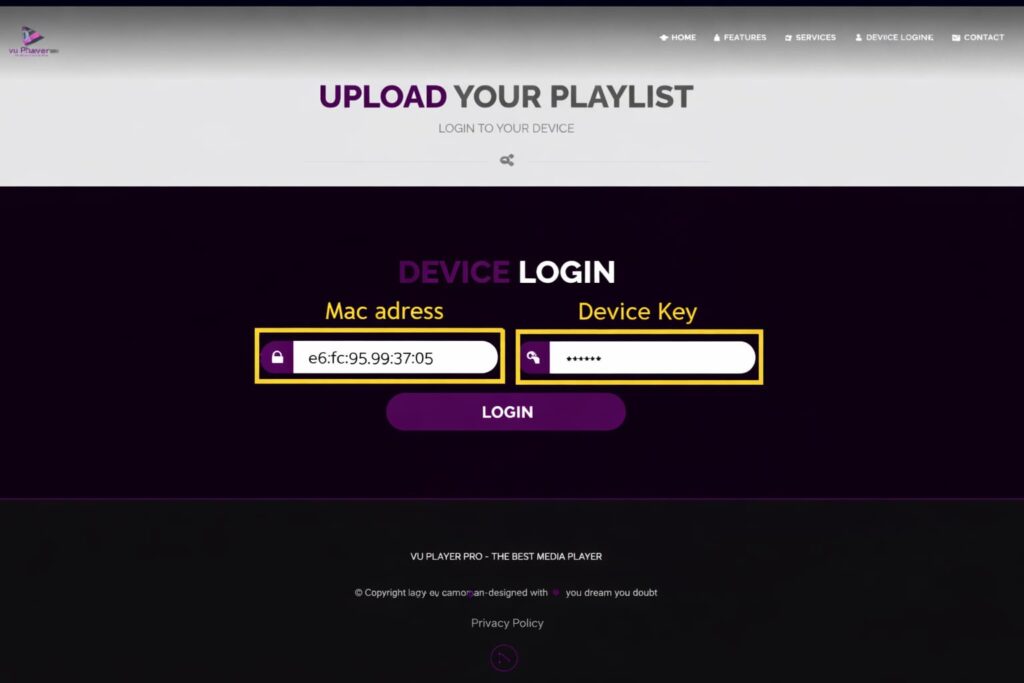
click on the link https://vuplayer.pro/login and enter the MAC address and device key:
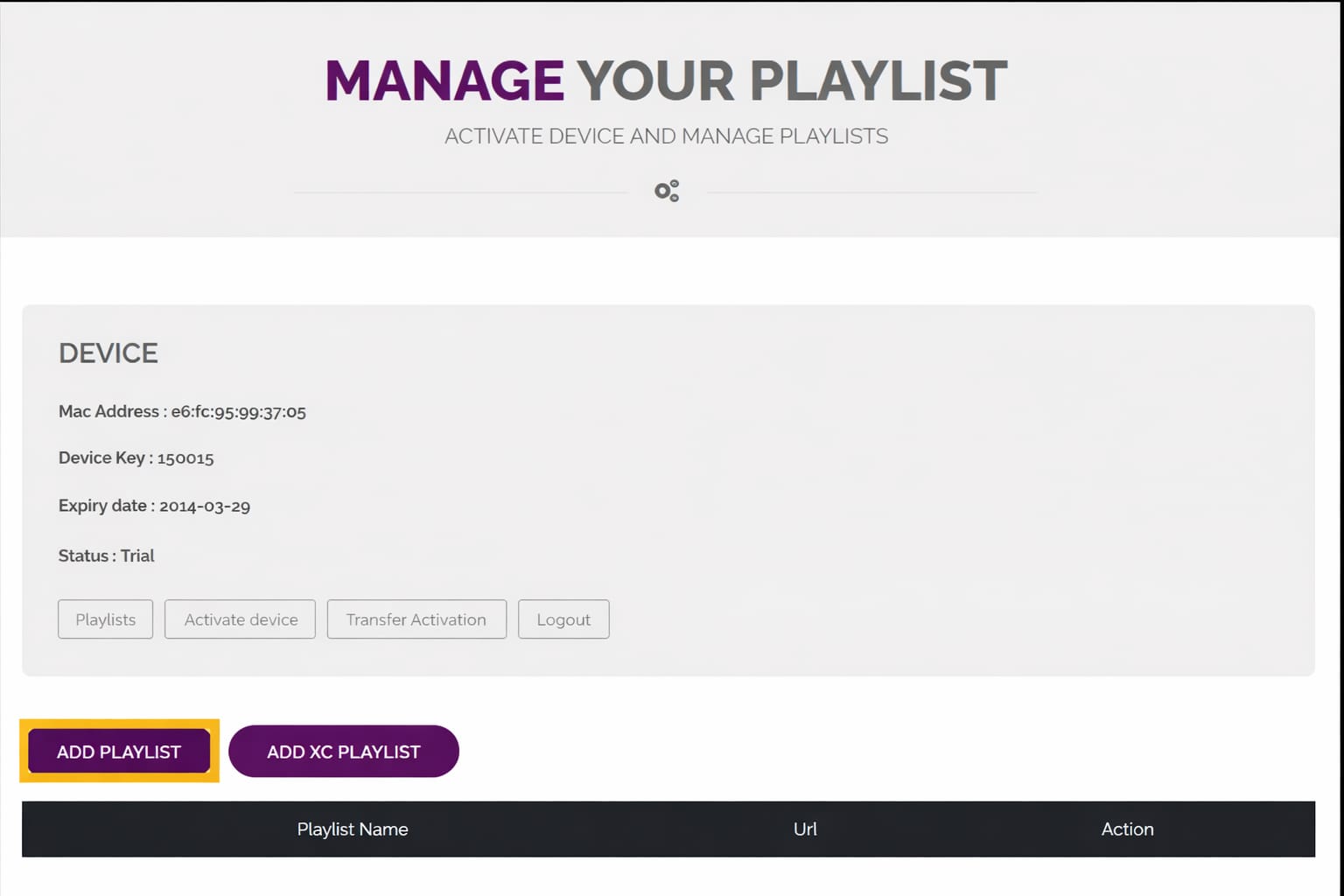
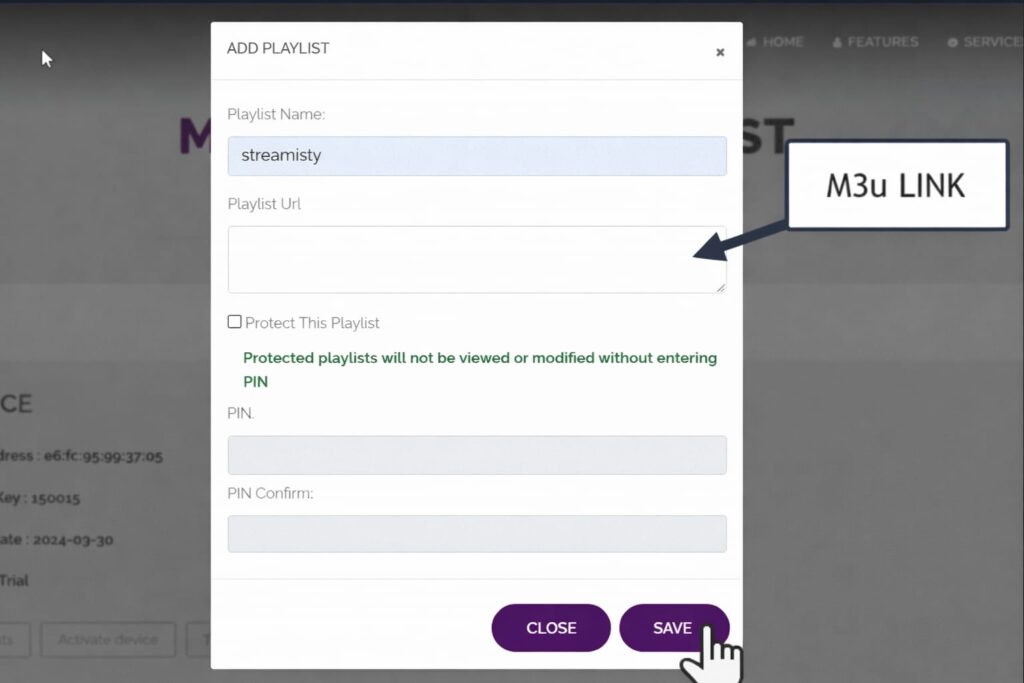
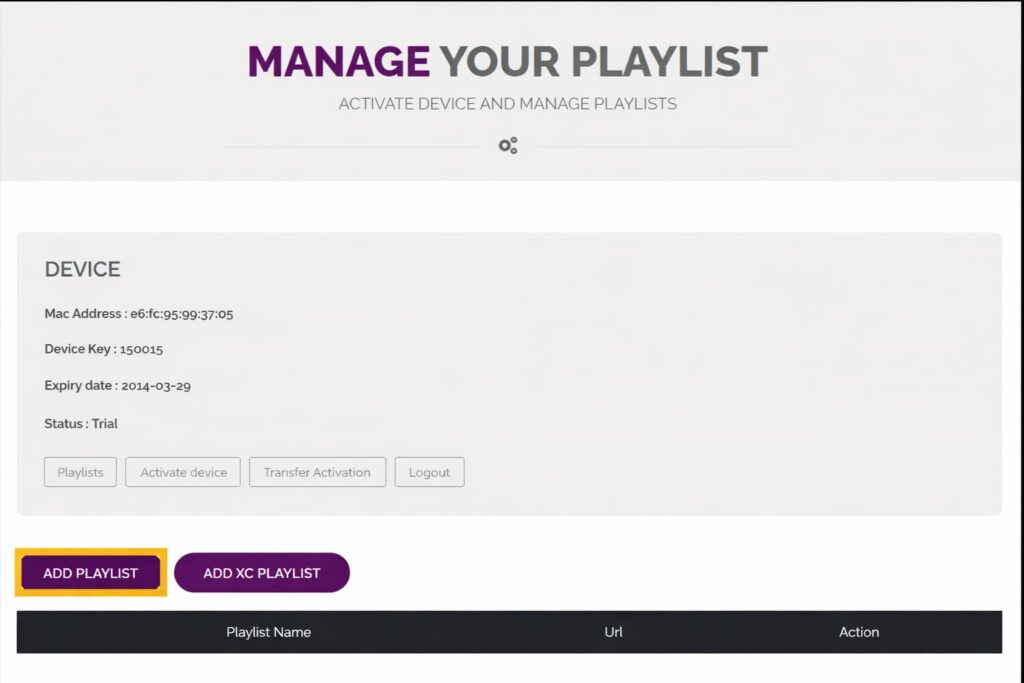
Click Add to Playlist
enter the M3U link provided by Streamisly and click Save:
Go back to the app and click reload.
Finished
Download VU PLAYER PRO app via this URL: https://apps.apple.com/us/app/vu-player-pro/id6449420114
How to install 8k player prime on fire tv stick or Android
8K Player Prime
Code downloader:1050263
url-short:Â bit.ly/3ID17VG
http://aftv.news/1050263
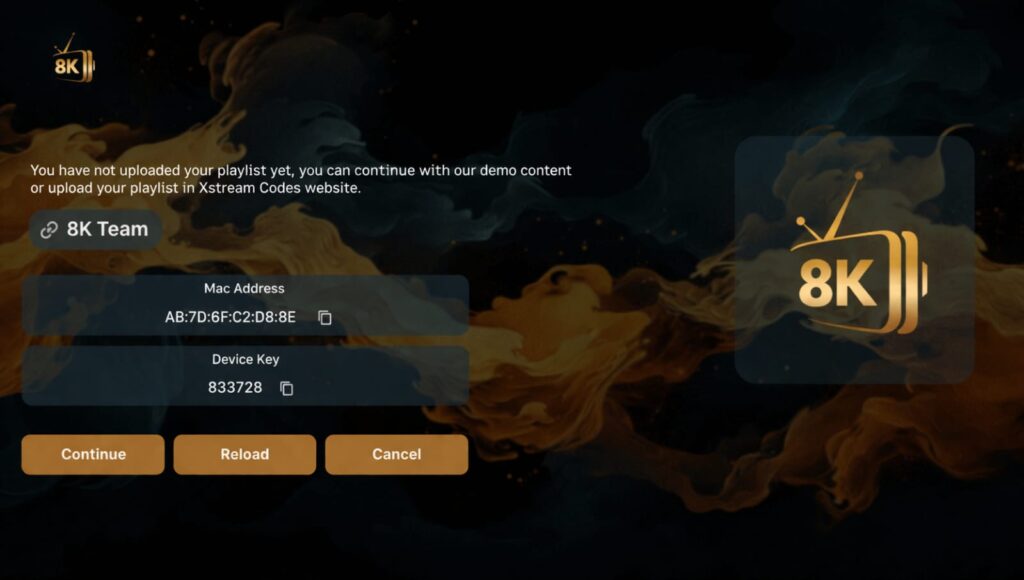
after installation click continue :
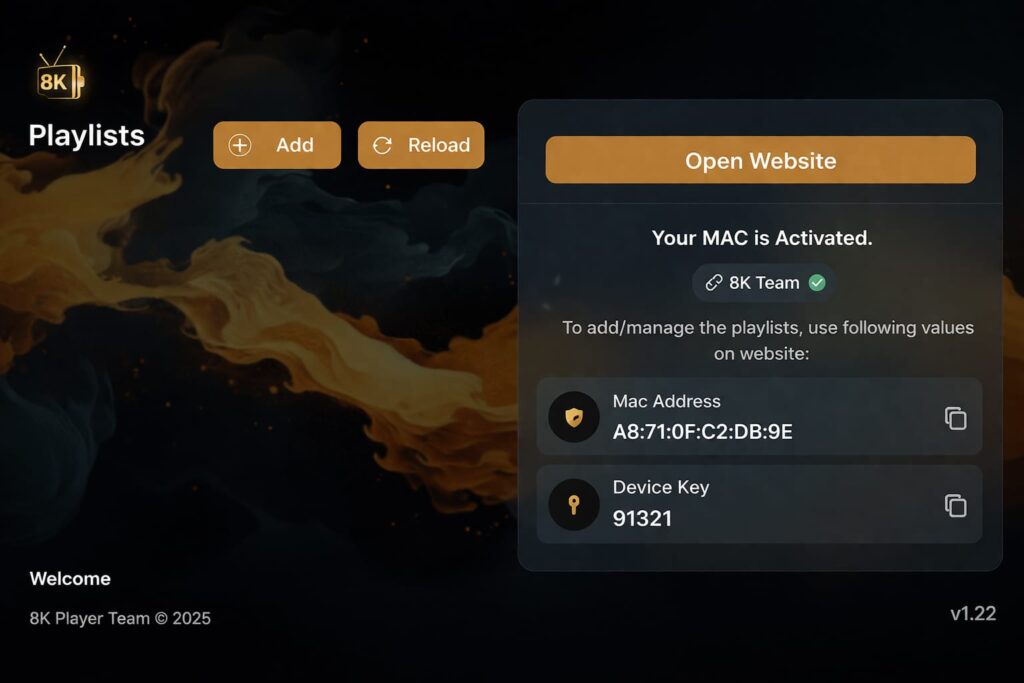
click Add :
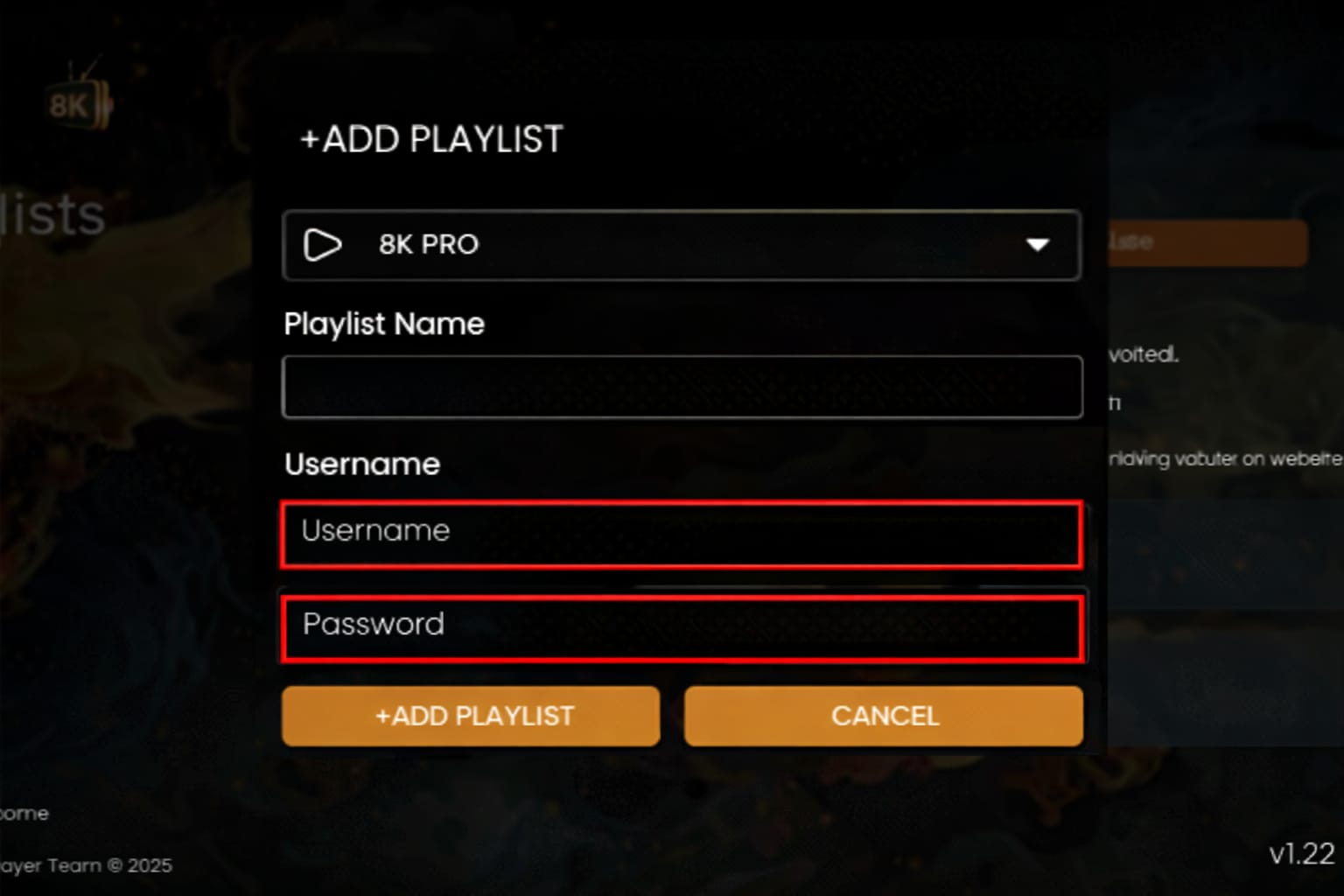
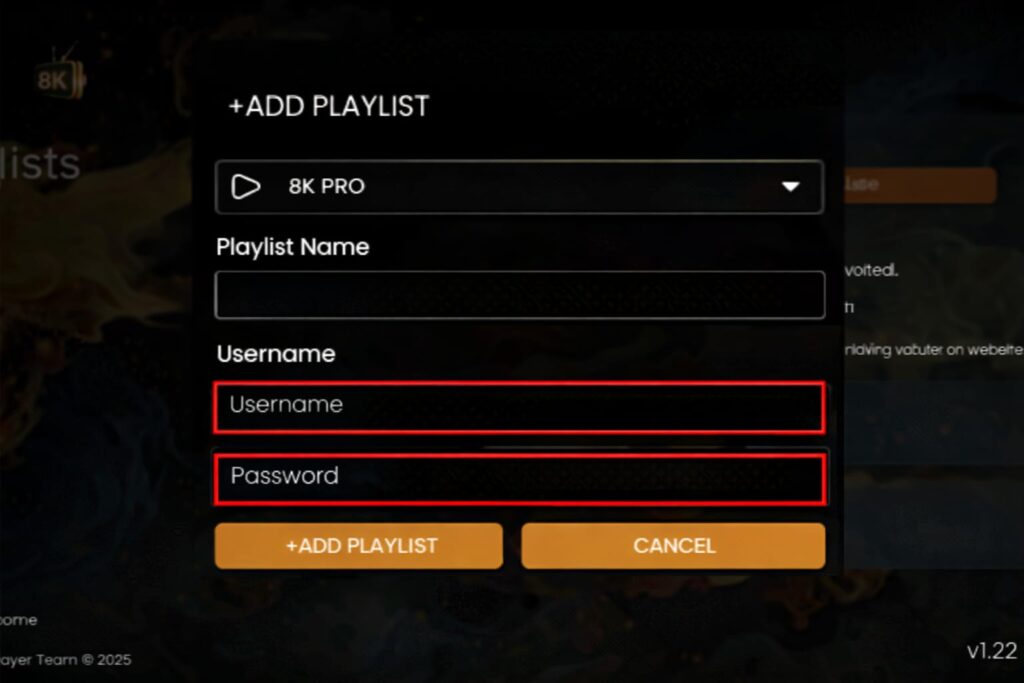
insert only username and password provided by streamisly and the click add playlist :
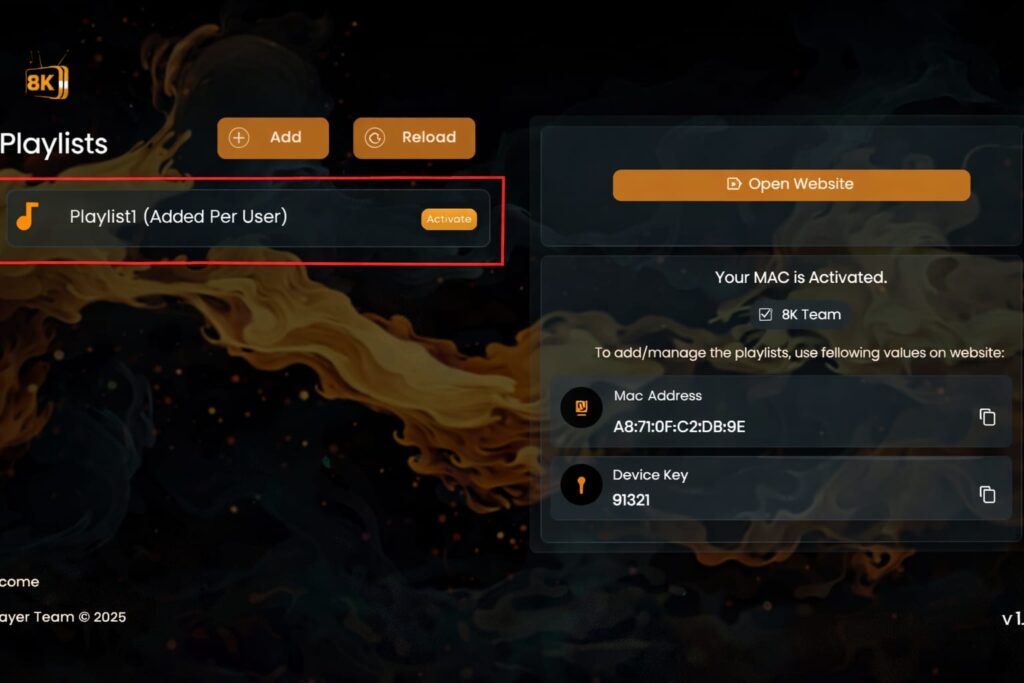
click on the playlist
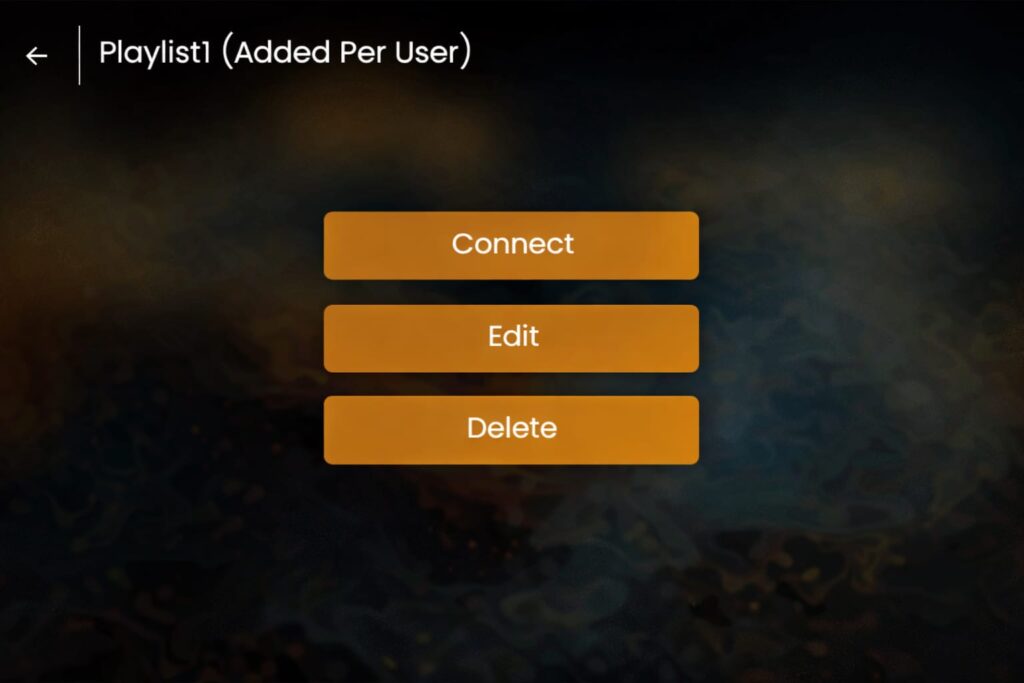
click connect :
its done , enjoy watching
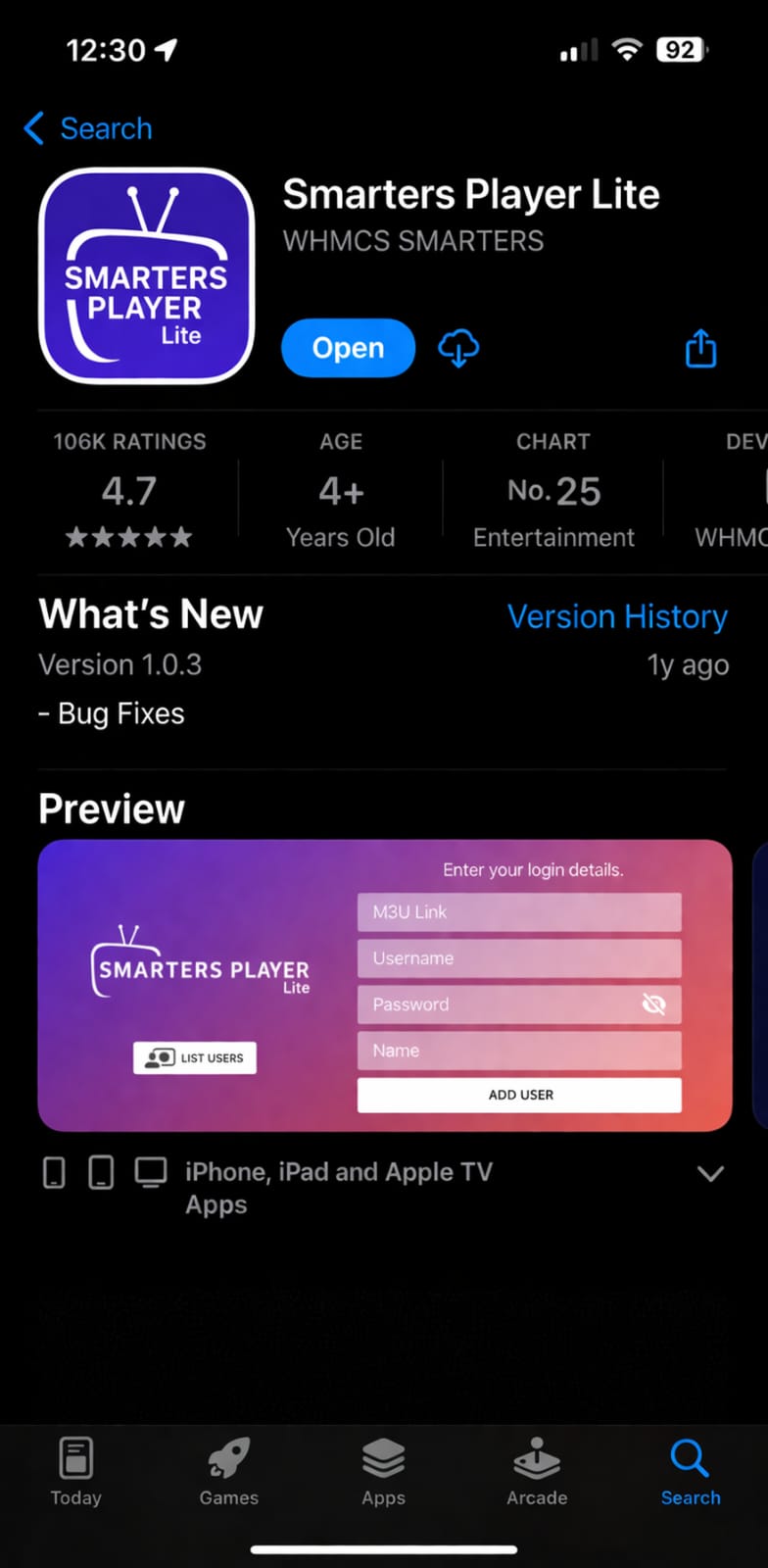
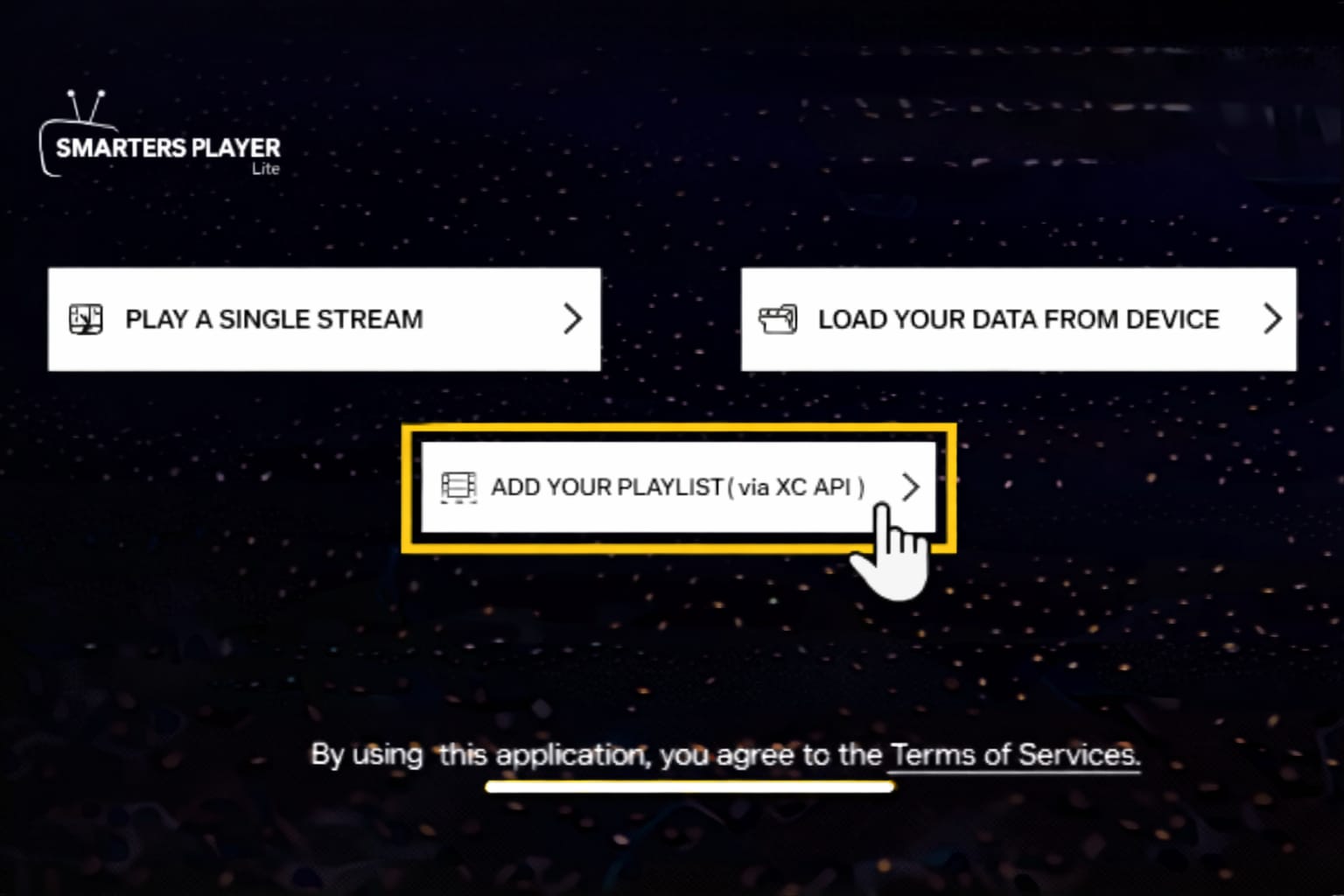
install Smarters player lite from the app store:
click ADD TO YOUR PLAYLIST (via XC API):
enter Xtream codes provided by Streamisly:
Step 1: Send us the MAC address of your MAG via WhatsApp/live chat.
Step 2: After payment, we will send you the portal link.
1: On the home screen of your device, hover your mouse over the Search option.
2. Click Search.
3. Search and select Downloader.
4. Select the Downloader app.
5. Click Download.
6. Once the app is installed, click Open.
7. Go back to the home screen and open Settings.
8. Click on My Fire TV and follow this video to enable developer mode: https://www.youtube.com/watch?v=v-tcQLl0pWI
9. Select Developer options.
10. Click Install unknown apps.
11. Find the Downloader app and click on it.
12. This will turn on unknown sources for the Downloader app. This will enable sideloading on your device.
13. Start Downloader.
14. Click Allow.
15. Click OK.
16. Type the following URL exactly as shown here:
8K Player Prime Code downloader:1050263 url-short:bit.ly/3ID17VG http://aftv.news/1050263
8K Player Plus Code downloader:1240465 url-short:bit.ly/4muCvw4 http://aftv.news/1240465
8K Player Vip+ Code downloader:6883465 url-short:bit.ly/4myPgGi http://aftv.news/6883465
TVMate 8K code downloader:6762447 http://aftv.news/6762447
for Hot player (5 euros extra)
url: https://apk.hotplayer.app/
or use code: 395800
and click Go.
17. Wait for the file to download.
18. Click Install.
19. Click Done.
20. Open the app and then send us your MAC address via WhatsApp or email.
Step 1: You can download 4K PLAYER / HotIPTV / SetIPTV / vu player pro/ Ibo player from your TV store on Samsung, LG.
Step 2: After installation, open the app and you will find the MAC address and device key on the screen, example ibo player:Â
Step 3: Send the MAC address and device key to us via WhatsApp/live chat.
Step 4: After a few minutes, restart your TV and open the app. Done
Download the app: https://www.iptvsmarters.com/download/?download=windows_app
After installation, enter Xtream codes provided by 4KStreamGO:
or Alternative Download VU PLAYER PRO app via this URL: https://vuplayer.pro
Step 1: Start by downloading Vu Player Pro via this URL: https://vuplayer.pro
Step 2: Once downloaded, open the app and copy the MAC address and device key:
click on the link https://vuplayer.pro/login and enter the MAC address and device key:
Click Add to Playlist
enter the M3U link provided by Streamisly and click Save:
Go back to the app and click reload.
Finished
Download VU PLAYER PRO app via this URL: https://apps.apple.com/us/app/vu-player-pro/id6449420114
How to install 8k player prime on fire tv stick or Android
8K Player Prime
Code downloader:1050263
url-short:Â bit.ly/3ID17VG
http://aftv.news/1050263
after installation click continue :
click Add :
insert only username and password provided by streamisly and the click add playlist :
click on the playlist
click connect :
its done , enjoy watching
install Smarters player lite from the app store:
Lorem ipsum dolor sit amet, consectetur adipiscing elit. Ut elit tellus, luctus nec ullamcorper mattis, pulvinar dapibus leo.
WhatsApp us